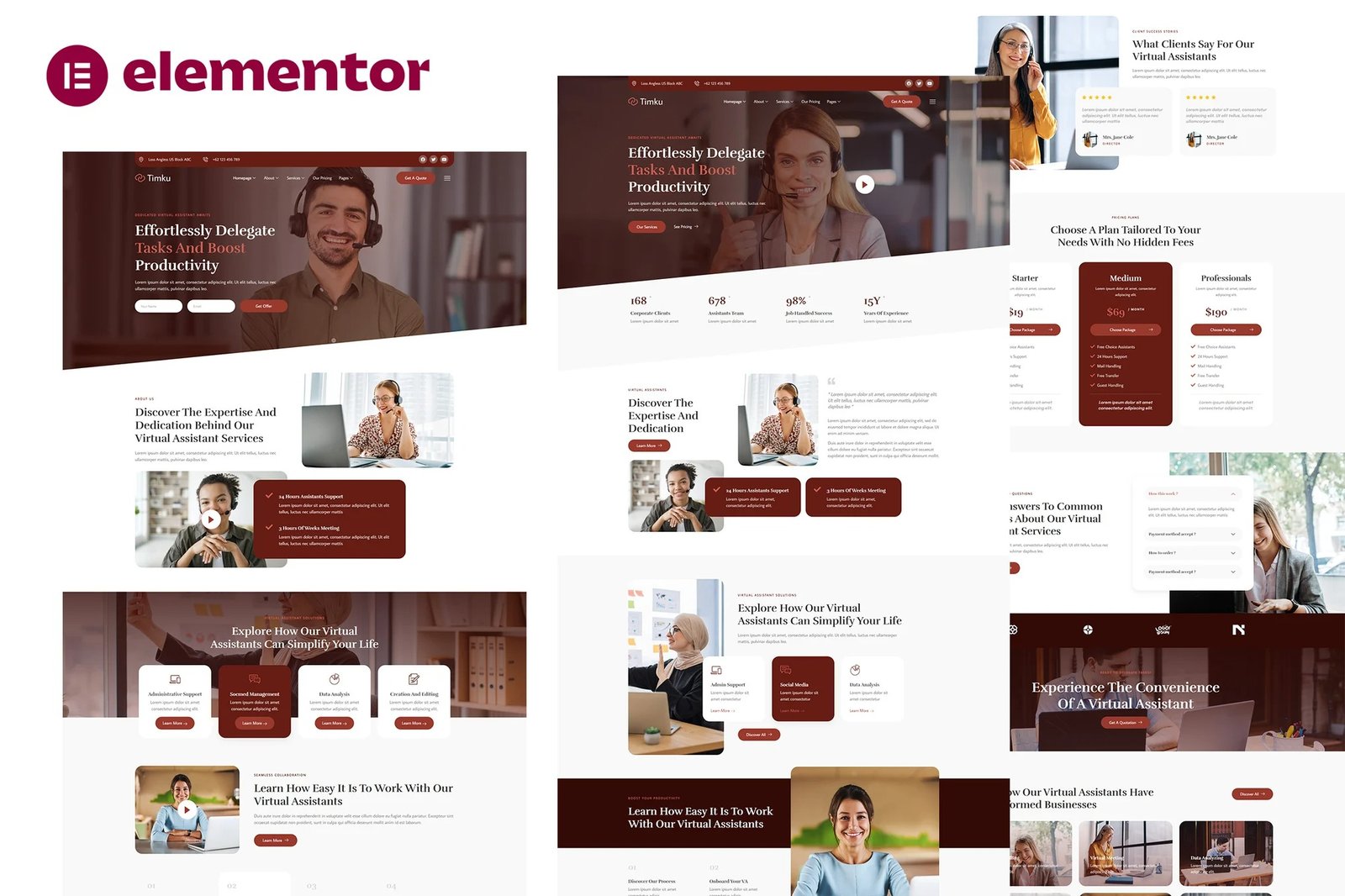
Timku is professional Elementor Template Kit for virtual assistant business website. It has simple and clean design with modern layout style. Designed to use with Elementor Free version, ready to import & reusable for travel agency business and any related websites that offer travel service. It works with most themes and is optimized for use with the free Hello Elementor theme
No Pro upgrade required
21 Import Templates Ready For Use :
- Homep 01
- Homep 02
- About Us
- Our Team
- Our Services
- Detail Service
- Our Pricing
- Our Gallery
- FAQs
- Client Reviews
- Contact Us
- 404
- Blog Page
- Single Blog
- Global Style Kit
- Block ? Header
- Block ? Footer
- Block ? Off Canvas Content
- MetForm ? Contact Form
- MetForm ? Subscribe Form
- MetForm ? Offer Form
Template Features
- No Pro Plugin Needed
- True No Coding Required
- Global Theme Style
Required Plugins installed with kit
How to Import Metforms
- Import the metform block templates
- Import the page template where the form appears and right-click to enable the Navigator
- Locate and select the Metform widget and click Edit Form. Choose New, then Edit Form. The builder will appear
- Click ?Add Template? grey folder icon.
- Click ?My Templates? tab.
- Choose your imported metform template, then click ?Insert? (click No for page settings).
- Once the template is loaded, make any desired customizations and click ?Update & Close? The form will appear in the template
- Click Update
Setup Global Header and Footer in ElementsKit
- Import the header and footer template
- Go to ElementsKit > Header Footer select Header and click Add New
- Give it a title, leave Entire Site selected and toggle Activation to On
- Click the template title and Edit Content
- Click the gray folder icon and select the header template to import and Update.
This Template Kit uses demo images from Envato Elements. You will need to license these images from Envato Elements to use them on your website, or you can substitute them with your own.











Reviews
There are no reviews yet.