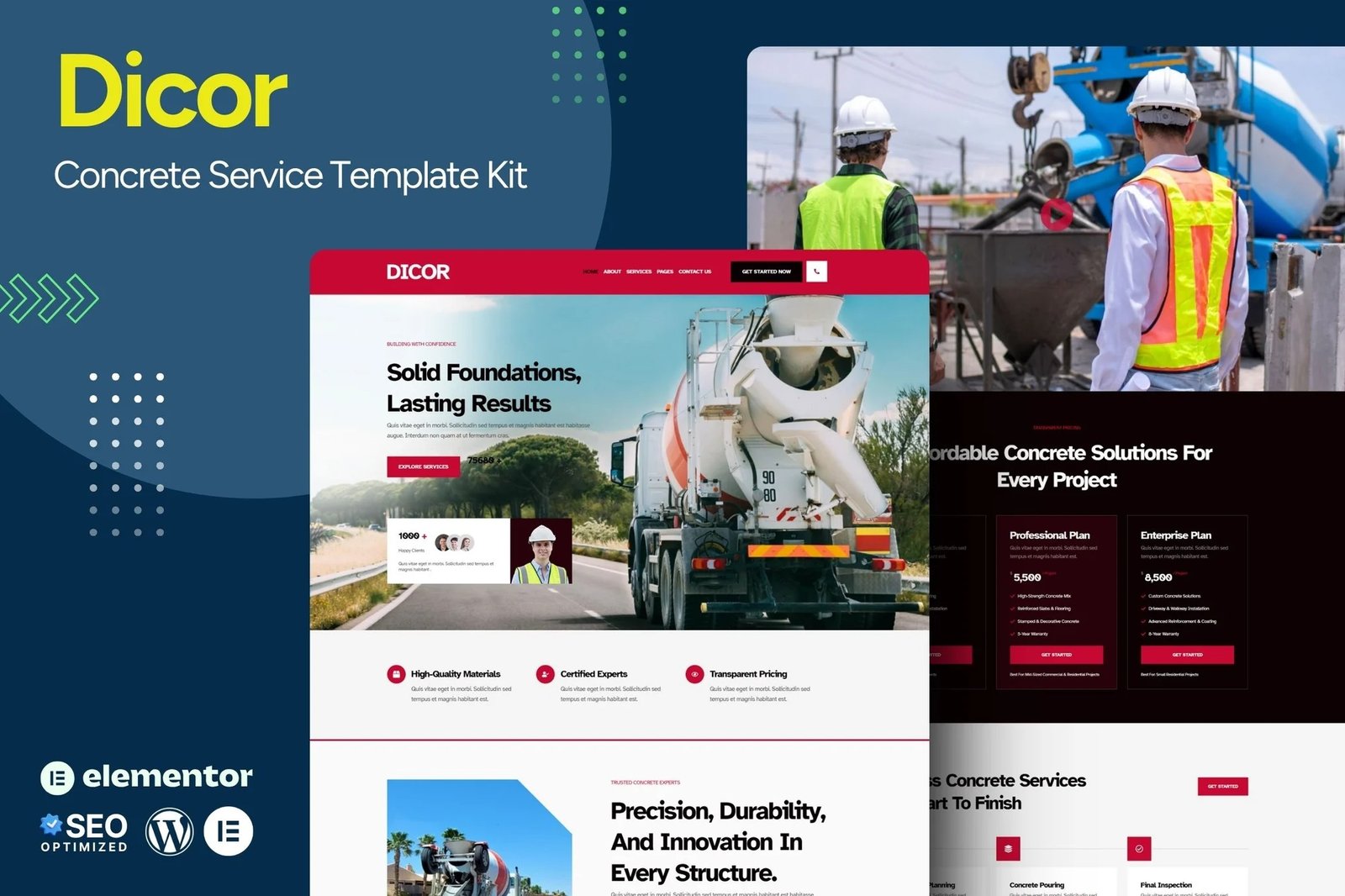
Dicor ? Concrete Service Website Template is a professional and modern Elementor Kit designed for construction and concrete service businesses. Built with a clean, responsive layout, this template offers a visually appealing and user-friendly experience. It is fully customizable, SEO-optimized, and compatible with WordPress, making it ideal for companies looking to showcase their services, projects, and pricing effectively.
With Dicor, you can create a high-impact website that highlights your expertise in concrete solutions, from foundation work to large-scale construction projects. The template features intuitive navigation, high-quality images, and strategically placed call-to-action sections, ensuring better user engagement and lead conversions. Its pre-designed pages cover essential business needs, making it easy to launch a professional website without coding.
Features
- True no-code customization with drag and drop visual builder
- Customize fonts and colors in one place or fine-tune on individual elements
- Modern, professional design
- Fast-loading
- Works with most Elementor themes.
Pages Included:
- Home
- About Us
- Services
- Service Details
- Projects
- Project Details
- Pricing
- Help Center
- Contact Us
- Error 404
Plugins installed with kit
- Elementor
- Ultimate Addons for Elementor Lite
- The Plus Addons
How to Import Metforms
If you have Elementor Pro, skip install of Metform and form blocks.
- Import the metform block templates
- Import the page template where the form appears and right-click to enable the Navigator
- Locate and select the Metform widget and click Edit Form. Choose New, then Edit Form. The builder will appear
- Click ?Add Template? grey folder icon.
- Click ?My Templates? tab.
- Choose your imported metform template, then click ?Insert? (click No for page settings).
- Once the template is loaded, make any desired customizations and click ?Update & Close? The form will appear in the template
- Click Update
How to Import Metforms
If you have Elementor Pro, skip install of Metform and form blocks.
- Import the metform block templates
- Import the page template where the form appears and right-click to enable the Navigator
- Locate and select the Metform widget and click Edit Form. Choose New, then Edit Form. The builder will appear
- Click ?Add Template? grey folder icon.
- Click ?My Templates? tab.
- Choose your imported metform template, then click ?Insert? (click No for page settings).
- Once the template is loaded, make any desired customizations and click ?Update & Close? The form will appear in the template
- Click Update
Setup Global Header and Footer in UAE
If you have Elementor Pro, headers and footers may be customized under Theme Builder.
- Go to UAE > Header Footer and click Add New button
- Give it a title and select Header, Display on Entire Website and click Publish
- Click Edit with Elementor
- Click the gray folder icon to access My Templates tab and select the header template to import and Update.
- Repeat for Footer











Reviews
There are no reviews yet.