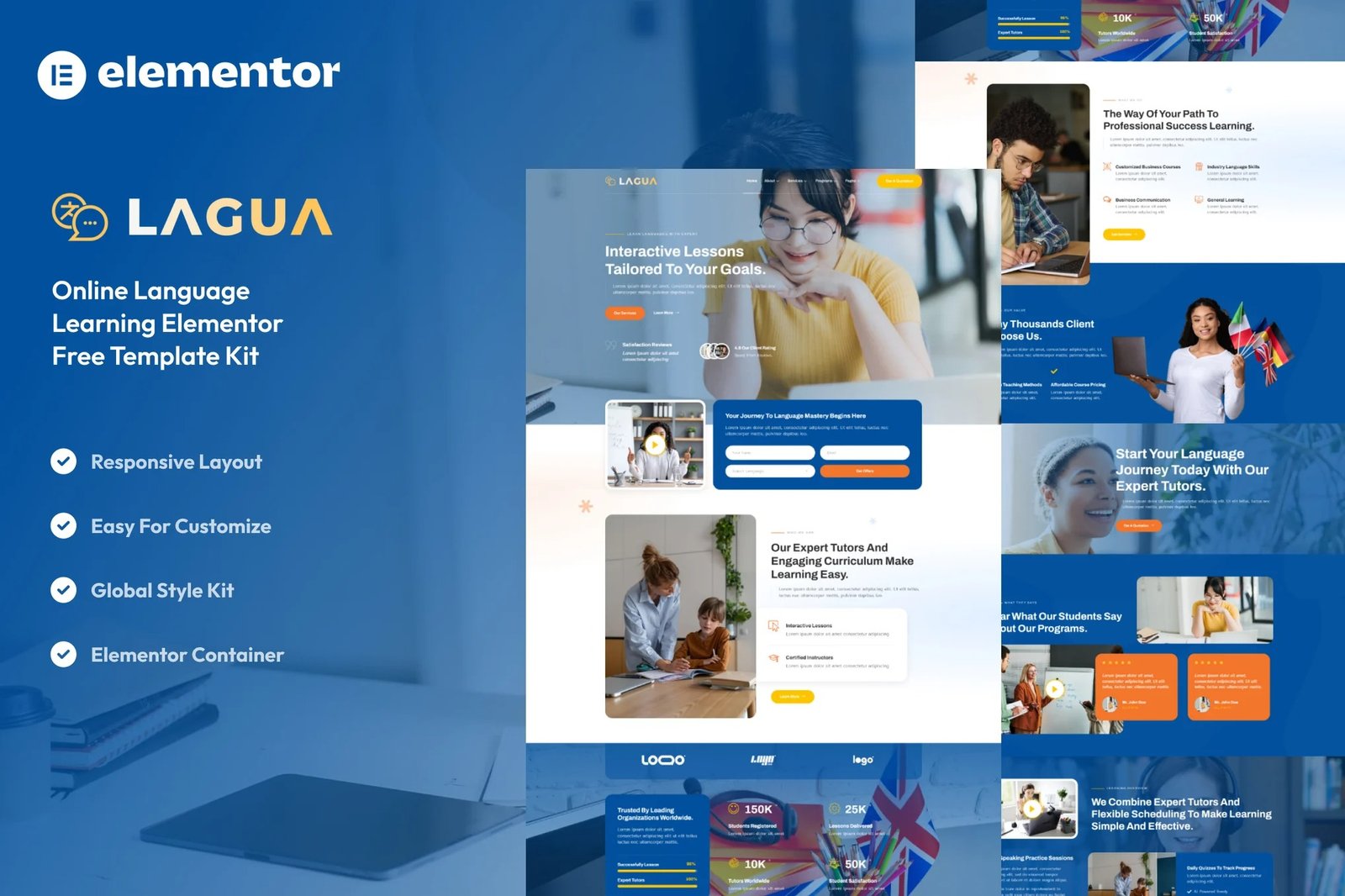
Lagua ? Language Course & Learning Center Elementor Template Kit is a collection of layouts for the Elementor page builder WordPress plugin, designed for use with Elementor Free Version for a clean and engaging design. It works with most themes and is optimized for use with the free Hello Elementor theme.
Transform your educational services with our Online Language Learning & Tutoring Elementor Template Kit ? a modern and interactive solution crafted for language schools, tutors, and online learning platforms. Showcase your courses, highlight your expertise, and engage potential learners with this meticulously designed template. Seamlessly customizable through Elementor, our kit ensures your website reflects the professionalism and accessibility of your language learning services. Crafted for optimal performance and SEO-friendly design, the ?Online Language Learning & Tutoring? Elementor Template Kit is your gateway to creating an impactful and user-friendly online presence. Start inspiring learners worldwide with this modern and education-ready template kit.
Key Features:
Modern and Interactive Design:
Impress your visitors with a contemporary design that combines functionality and style. Lagua ? Online Language Learning & Tutoring Elementor Template Kit offers a clean and engaging layout, ensuring an enjoyable user experience.
Fully Responsive:
Your website will look flawless on any device ? from desktops to tablets and smartphones. Lagua ? Online Language Learning & Tutoring Elementor Template Kit is designed to adapt, providing a consistent and visually appealing experience across all platforms.
Easy Customization with Elementor:
No coding skills required! Lagua ? Online Language Learning & Tutoring Elementor Template Kit is built with Elementor, making customization a breeze. Effortlessly modify the layout, colors, and content to suit your brand identity.
Versatile Sections:
From engaging hero banners to dynamic course layouts, Lagua ? Online Language Learning & Tutoring Elementor Template Kit includes a variety of sections to showcase your content effectively. Impress your audience with captivating visuals and a user-friendly interface.
Optimized for Performance:
Fast loading times are essential for user satisfaction and SEO. Rest assured, Lagua ? Online Language Learning & Tutoring Elementor Template Kit is optimized for speed, ensuring a smooth and efficient browsing experience.
Cross-Browser Compatibility:
Reach a broader audience with a template kit that works seamlessly across various browsers. Your website will look great, no matter the browser your visitors use.
No Pro upgrade required
21 Import Templates Ready For Use:
- Home
- About Us
- Our Team
- Our Services
- Detail Service
- Our Pricing
- Our Programs
- Program Single
- Testimonials
- FAQs
- Contact Us
- 404
- Our Blog
- Single Blog
- Global Style Kit
- Block ? Header
- Block ? Footer
- MetForm ? Contact Form
- MetForm ? Offers Form
- MetForm ? Submit FAQ Form
- MetForm ? Subscribe Form
Template Features:
- No Pro Plugin Needed
- True No Coding Required
- Global Theme Style
Required Plugins installed with kit
Creating pages
- Go to Pages and create a new page and click Edit with Elementor
- Click the gear icon at lower-left of the builder to view page settings and choose Elementor Full Width and hide page title
- Click the gray folder icon to access My Templates tab and then Import the page you?d like to customize.
- The home page is set under Settings > Reading by selecting Static Front Page.
Setup Global Header and Footer in ElementsKit
- Import the header and footer template
- Go to ElementsKit > Header Footer select Header and click Add New
- Give it a title, leave Entire Site selected and toggle Activation to On
- Click the template title and Edit Content
- Click the gray folder icon and select the header template to import and Update.











Reviews
There are no reviews yet.