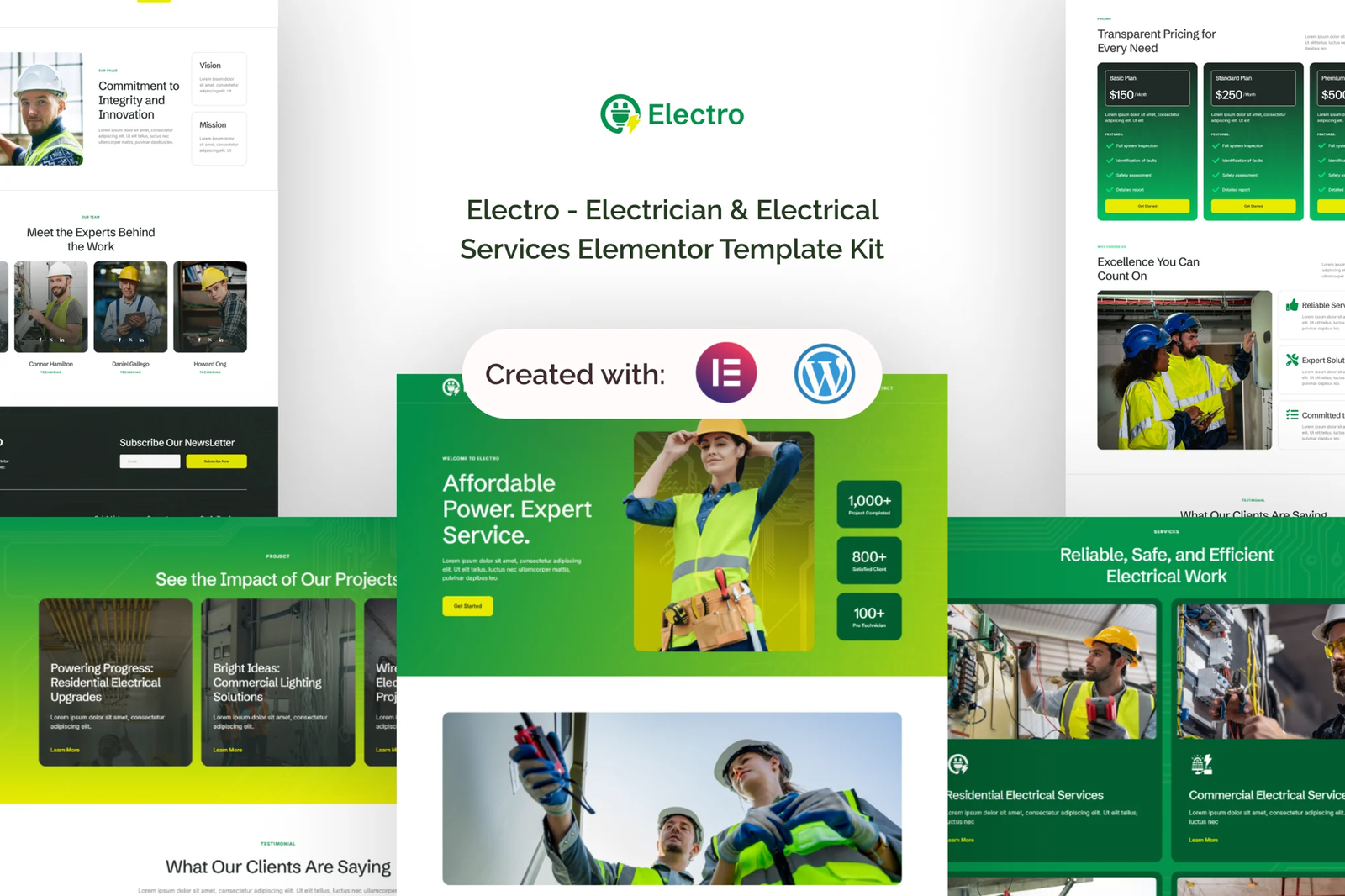
Electro is a simple and professional Elementor template kit designed for electricians and related service businesses. Built for WordPress and Elementor, it allows you to create a modern website without needing coding skills.
Important Note:
Electro is a template kit, not a full WordPress theme. It provides layouts for the Elementor page builder, optimized for Hello Elementor but compatible with other themes.
Key Features:
- Using Free Elementor (Elementor Pro is not required)
- Unique & Clean Design
- Modern Design
- Build With Container
- 16 Ready to Use Pages
- Unlimited colors
- More than 900 Ready Fonts
- Fully Responsive Layout
- Fully Customizable
- Cross Browser Compatibility: Chrome, Firefox, Safari, Opera
Templates Included:
- Global Theme Style
- Home
- About
- Services
- Project
- Team
- FAQ
- Error 404
- Blog Post
- Single Post
- Contact Us
- Header
- Footer
- Contact Form
- Join Us Form
- Newsletter Form
- FAQ Form
Required Plugin:
- Elementor
- ElementsKit Lite
- MetForm
- Gum Elementor Addon
- Elementor Header & Footer Builder
How to Import Metforms
If you have Elementor Pro, skip install of Metform and form blocks.
- Import the metform block templates
- Import the page template where the form appears and right-click to enable the Navigator
- Locate and select the Metform widget and click Edit Form. Choose New, then Edit Form. The builder will appear
- Click ?Add Template? grey folder icon.
- Click ?My Templates? tab.
- Choose your imported metform template, then click ?Insert? (click No for page settings).
- Once the template is loaded, make any desired customizations and click ?Update & Close? The form will appear in the template
- Click Update
Setup Global Header and Footer
If you have Elementor Pro, headers and footers may be customized under Theme Builder.
- Go to Appearance > Header Footer and click Add New button
- Give it a title and select Header, Display on Entire Site and click Publish
- Click Edit with Elementor
- Click the gray folder icon to access My Templates tab and select the header template to import and Update.
- Repeat for Footer











Reviews
There are no reviews yet.