PlumbiGo – Plumbing Services Elementor Template Kit
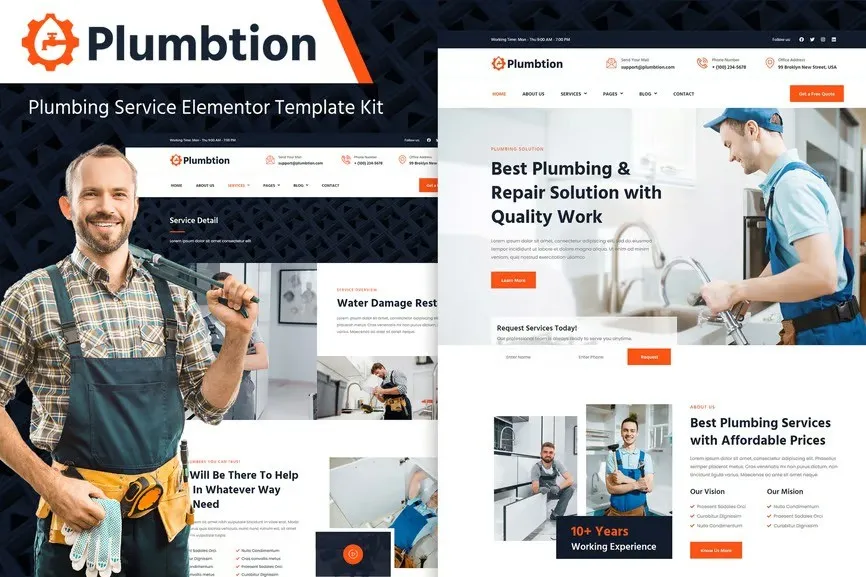
PlumbiGo is a professional and modern Elementor Template Kit crafted for plumbing services, repair specialists, and home maintenance businesses. With clean layouts and easy-to-edit templates, this kit is perfect for showcasing your services, pricing, and contact details in a user-friendly and visually appealing way.
Designed with responsiveness and performance in mind, PlumbiGo ensures fast loading times, mobile optimization, and seamless customization using Elementor—without any coding. Build a strong and trustworthy online presence to grow your plumbing business today!
Key Features:
- Fully customizable with Elementor – no coding required
- 14+ professionally designed templates tailored for plumbing and repair businesses
- Clean, modern, and responsive design across all devices
- SEO-friendly structure for better visibility on search engines
- Fast loading times for optimal user experience
- Cross-browser compatible with all major web browsers
Template Includes:
- Home
- About Us
- Services
- Service Details
- Pricing
- Portfolio
- FAQ
- Blog
- Single Post
- Contact Us
- Error 404
- Header
- Footer
- Subscribe MetForm
- Contact MetForm
Required Plugins:
- Elementor
- Jeg Elementor Kit
- MetForm
Skip this section if you are using Elementor Pro.
- Import the MetForm block templates
- Import the page where the form appears, then open Navigator
- Select the MetForm widget and click Edit Form
- Choose New → Edit Form
- Click the gray folder icon, then go to My Templates
- Select your imported MetForm template and click Insert (click “No” on page settings)
- Customize the form, then click Update & Close
- Click Update to save the page
Elementor Pro users may manage headers/footers through Theme Builder.
- Go to Jeg Elementor Kit > Header Template
- Click Add New Header
- Set condition: Entire Site → Click Create
- Click the folder icon → Open My Templates
- Insert your header template, customize, and Save











Reviews
There are no reviews yet.