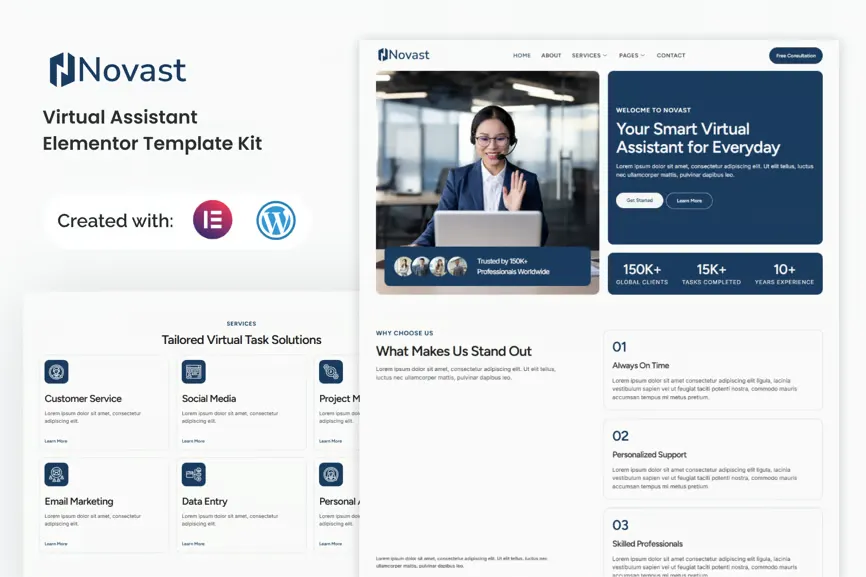
Novast is a modern and professional Elementor Template Kit built for virtual assistants, remote professionals, and freelance service providers. Designed with clean layouts, soft colors, and elegant typography, it helps you present your skills, showcase your services, and connect with clients effortlessly. Fully responsive and customizable, Novast allows you to launch a professional website without coding knowledge.
Features
- Using Free Elementor (Elementor Pro is not required)
- Unique & Clean Design
- Modern Design
- Build With Container
- 15 Ready to Use Pages
- Unlimited colors
- More than 900 Ready Fonts
- Fully Responsive Layout
- Fully Customizable
Cross Browser Compatibility: Chrome, Firefox, Safari, Opera
Templates Included:
- Global Theme Style
- Home
- About
- Service
- Services Detail
- Error 404
- Blog
- Pricing
- Single Post
- Testimonial
- FAQ
- Team
- Contact
- Header
- Footer
- Metform Contact
Required Plugin:
- Elementor
- ElementsKit Lite
- MetForm
- Gum Elementor Addon
- Ultimate Addons for Elementor – Lite
How to Import MetForm Custom Form:
- While edititing a page where a form should appear, open the Elementor navigator to locate the Metform widget.
- Click Edit Form in the builder panel.
- Select New, leave blank selected then click Edit Form button.
- Click ‘Add Template’ grey folder button.
- Click ‘My Templates’ tab.
- Choose your imported MetForm template, then click ‘Insert’.
- Once the template is loaded, click ‘Update’.
Setup Global Header and Footer in UAE
If you have Elementor Pro, headers and footers may be customized under Theme Builder.
- Go to UAE > Header Footer and click the Add New button.
- Give it a title, select Header, set Display on Entire Website, and click Publish.
- Click Edit with Elementor.
- Click the gray folder icon to access the My Templates tab, select the header template to import, and click Update.
- Repeat the steps for the Footer.











Reviews
There are no reviews yet.