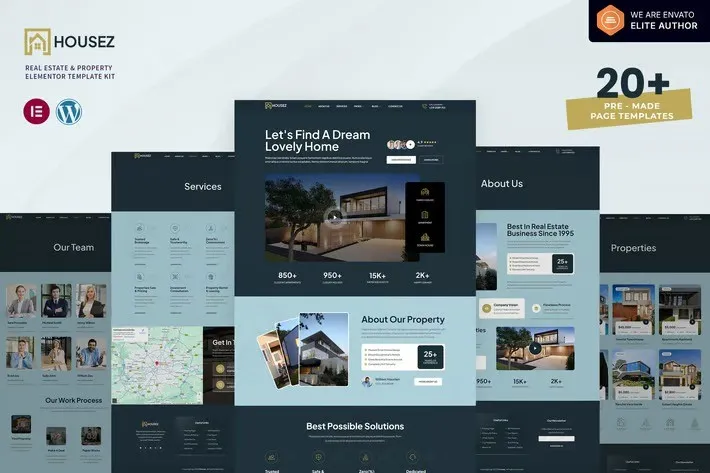
Housez – Real Estate & Property Elementor Template Kit created especially to build versatile sites such as housing, home rental, real estate, property, apartment, construction, building, and all other Real Estate & Property websites without a single line of coding!
This template kit includes ready-to-use beautifully crafted 20+ Page Templates. You can build your professional looking websites with the most popular page builder Elementor that can easily drag-and-drop your ideas from the interface.
Highlighted Features
- Fully with Elementor Free Version (No Pro)
- Modern & Professional Design
- Fully Responsive Layout
- Speed optimized for Fast-loading
- Fully Customizable
- Works with most Elementor Themes
- No Coding Required
Page templates included
- Global Kit Styles – Customize fonts & color in one place
- Header
- Footer
- Home
- About Us
- Services
- Service Detail
- Properties
- Property Detail
- Property Gallery
- Top Areas
- Pricing Plan
- Team
- Team Detail
- Reviews
- Career List
- Career Detail
- Faqs
- Contact
- Coming Soon
- Blog
- Single Post
- 404 Error Page
Compatible Themes
- Hello Elementor
- Most of themes that compatible with Elementor
Required Plugins installed with kit
- Elementor
- ElementsKit Lite
- Bosa Elementor for WooCommerce
- MetForm
- Go to Appearance > ElementsKit > Header & Footer.
- Click the Add New button.
- Give your template a title, select Header, set Display On to Entire Site, and click Publish.
- Click Edit with Elementor.
- Click the gray folder icon, go to the Templates tab, and import the header template.
- Click Update to save your changes.
- Repeat the same steps to create and assign a Footer.
- Import the Metform block templates.
- Import the page template where the form is used, then right-click and enable the Navigator.
- Find and select the Metform widget, then click Edit Form.
- Choose New, then click Edit Form. The Metform builder will open.
- Click the grey folder icon labeled Add Template.
- Go to the Templates tab.
- Select your imported Metform template and click Insert (click No when asked about page settings).
- After the template loads, make any changes you want, then click Update & Close.
- The form will now appear in your page template.
- Click Update to save your changes.











Reviews
There are no reviews yet.