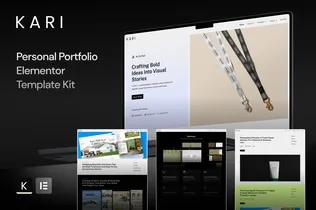
Kari – Personal Portfolio Elementor Template Kit
Kari is a bold and modern Elementor template kit crafted specifically for freelancers, creatives, and influencers who want to build an authentic online presence. With sleek layouts, impactful storytelling elements, and a strong personal brand focus, Kari helps you showcase your work, values, and expertise to attract and convert your ideal clients.
Perfect for designers, strategists, artists, or content creators, Kari empowers you to go beyond just a portfolio—it becomes your personal brand hub. From case studies to service breakdowns, this kit provides all the pages you need to turn your skills into sales.
Features
- Bold and Minimal Layout
- Designed for Personal Branding
- Ideal for Freelancers & Creatives
- Fully Editable with Free Elementor
- Optimized for Conversion
Templates Included
- Home
- About Me
- Services
- Service Detail
- Case Studies
- Case Study Detail
- Blog
- Single Post
- Hire Me
- 404 Page
Required Plugins
- Elementor
- ElementsKit Lite
- Jeg Elementor Kit
- Metform
- Sticky Header Effects for Elementor
Importing MetForms
- Import MetForm block templates.
- On the page template, locate the MetForm widget and click “Edit Form.”
- Choose New → Edit Form → Click the grey folder icon.
- Go to My Templates and select your imported MetForm layout.
- Customize and click Update & Close. Then click Update again.
How to setup header in Jeg Elementor Kit plugin
If you have Elementor Pro, setup headers and footers in Theme Builder. Pages you create with Elementor must have the Page Layout set to Elementor Full width for the global header and footer to appear.
- Go to Jeg Elementor Kit menu item > Header Template
- Click Add New Header
- Add condition > All Site and click Create
- Click the pencil icon to Edit and elementor will appear
- Click gray folder icon to access My Templates tab
- Insert the header template.
- Customize and Save.











Reviews
There are no reviews yet.