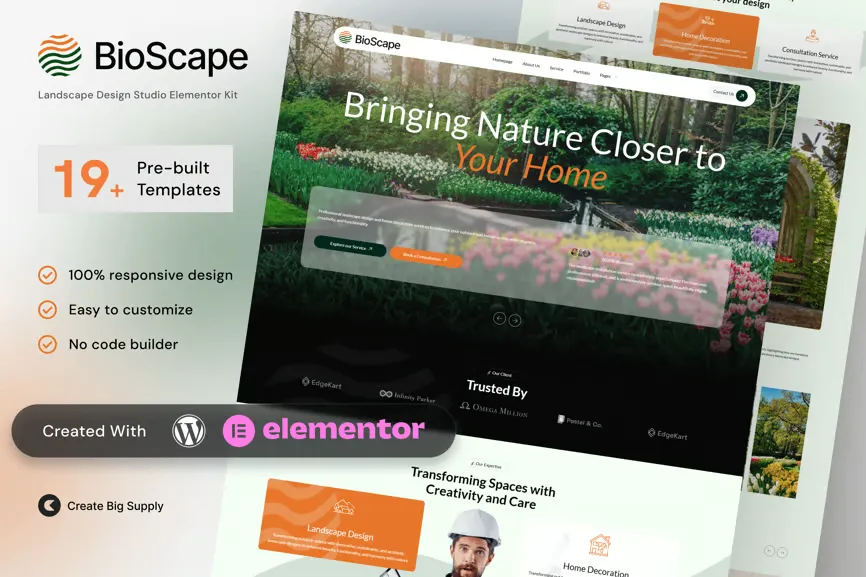
BioScape is a serene and sophisticated Elementor Template Kit crafted for landscape designers, outdoor decorators, garden consultants, and home improvement professionals. It blends organic aesthetics with clean layouts to present your design services, portfolio, and outdoor transformation projects with clarity.
Whether you’re offering garden redesigns, patio enhancements, or home exterior decoration, BioScape provides all the necessary pages to showcase your vision—completely editable with Elementor Free and responsive on all devices.
Key Features:
- 19+ ready-to-use page templates
- Using Free Plugins (Elementor Pro is not required)
- Cross Browser Compatibility: Chrome, Firefox, Safari, Opera
- Built with Free Plugins – No premium add-ons required, making setup hassle-free.
- 100% Fully Responsive & mobile-friendly
- Customize fonts and colors in one place (Global Kit Style)
- One-Click Installation – Import demo content easily with the Envato Elements plugin.
- Fast-loading, clean code, and cross-browser compatible.
- Perfect for: Landscape Architects, Home Decoration Experts, Property Designers, and Interior Stylists.
- Designed for landscape and home decoration services
- Clean and natural layout with earthy tones
- Fully responsive and mobile friendly
- Drag-and-drop editing using Elementor Free
- Ideal for portfolios, design services, and consultations
Templates in Zip:
- Global Style
- Homepage
- About Us
- Services
- Portfolio
- Book Appointment
- Pricing Plan
- Testimonials
- Blog & Tips Design
- Industry-Specific Solutions
- FAQ
- Contact Us
- Coming Soon
- 404 Error
- Header
- Footer
Required Plugins:
- Elementor
- MetForm
- ElementsKit Lite
- Ultimate Addons for Elementor
- RomethemeKit For Elementor
How to Import MetForm Custom Form:
- While edititing a page where a form should appear, open the Elementor navigator to locate the Metform widget.
- Click Edit Form in the builder panel.
- Select New, leave blank selected then click Edit Form button.
- Click ‘Add Template’ grey folder button.
- Click ‘My Templates’ tab.
- Choose your imported MetForm template, then click ‘Insert’.
- Once the template is loaded, click ‘Update’.
Setup Global Header and Footer in UAE
If you have Elementor Pro, setup headers and footers in Theme Builder. Pages you create with Elementor must have the Page Layout set to Elementor Full width for the global header and footer to appear.
- Go to UAE > Header Footer and click Add New button
- Give it a title and select Header, Display on Entire Website and click Publish
- Click Edit with Elementor
- Click the gray folder icon to access My Templates tab and select the header template to import and Update.
- Repeat for Footer











Reviews
There are no reviews yet.