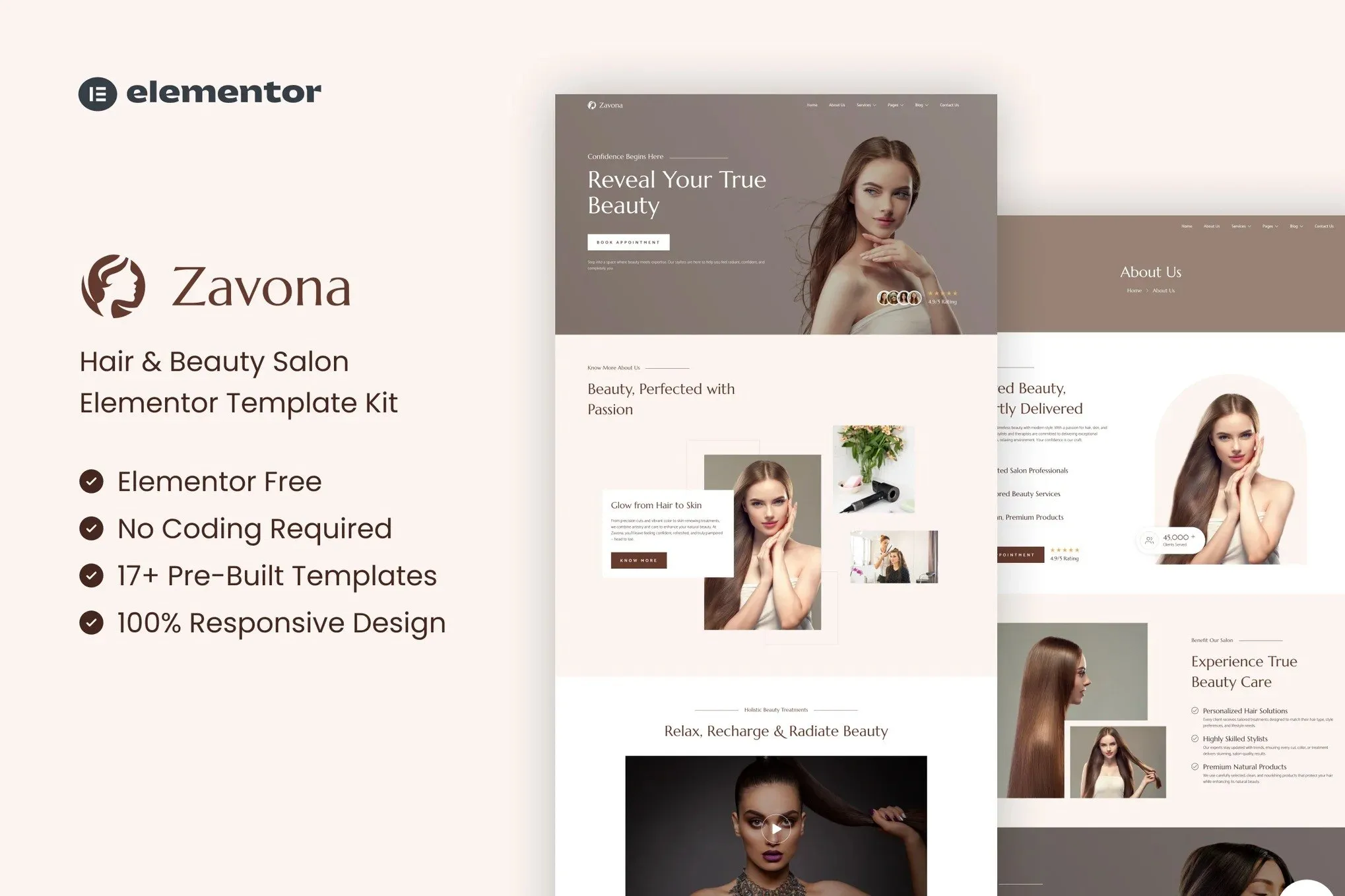
Zavona – Hair & Beauty Salon Elementor Template Kit is an elegant and modern
template kit designed for hair salons, beauty studios, barbershops, and
wellness professionals. With its clean design and beauty-focused layout,
Zavona lets you showcase your services, style portfolio, pricing, and team in
a captivating and professional way. Fully responsive and easy to customize
with Elementor – no coding needed.
Whether you’re launching a new beauty brand, offering premium salon services,
or revamping your current website, Zavona provides all the essential pages you
need: home, about, services, team, pricing, blog, FAQs, and contact. Crafted
with attention to detail and optimized for fast performance, Zavona helps you
create a stylish online presence that inspires trust and drives bookings.
Features:
- For Hair & Beauty Salon
- Fully With Elementor Free Version (Elementor Pro is not required)
- Simple, Modern and Clean Design
- No Coding Knowledge Required
- 17+ Ready To Use Templates
- Easy & Fully Customizable
Templates Include:
- Global Kit Style
- Home
- About Us
- Services
- Service Detail
- Pricing
- Gallery
- Blog
- Single Blog
- FAQ
- Contact Us
- Metform Contact
- Metform Appointment
- 404 Page
- Coming Soon
- Header
- Footer
Plugins installed with kit:
How To Import Metform Costum Form
- Import metform template
- Import the template where the form appears, then edit in Elementor
- Click the Metform widget in the column where the form should be and click
Edit Form - Select New, leave blank selected then click Edit Form button
- Click ‘Add Template’ grey folder button
- Click ‘My Templates’ tab
- Choose your imported metform template, then click ‘Insert’
- Once the template is loaded, click ‘Update’
How to setup header in Jeg Elementor Kit plugin If you have
Elementor Pro, headers and footers may be customized under Theme Builder.
- Go to Jeg Elementor Kit menu item > Header Template
- Click Add New Header
- Add condition > All Site and click Create
- Click the pencil icon to Edit and elementor will appear
- Click gray folder icon to access My Templates tab
- Insert the header template.
- Customize and Save.











Reviews
There are no reviews yet.