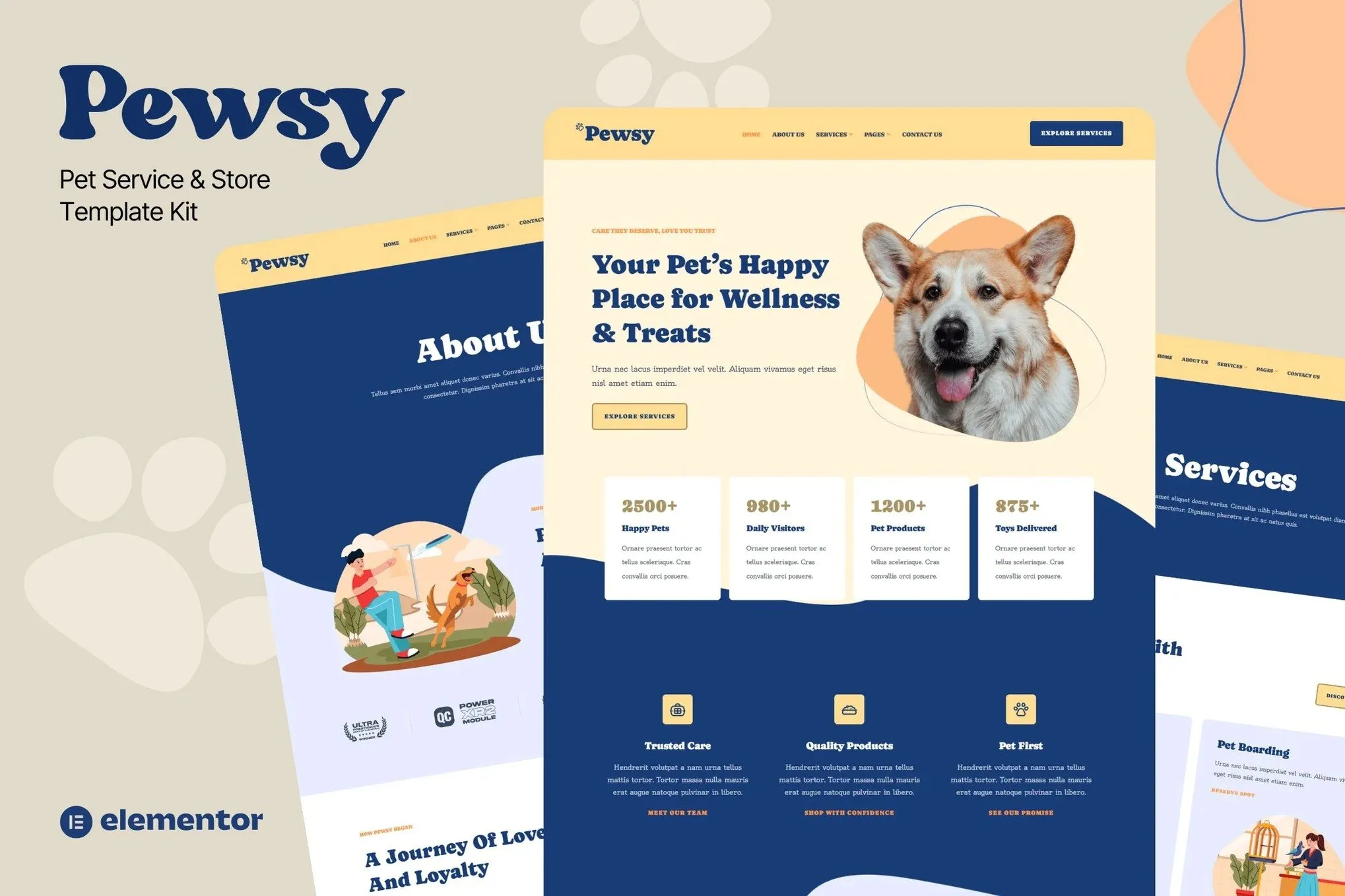
Pewsy – Pet Service & Store Website Template Kit is the perfect Elementor kit for pet grooming, veterinary services, and pet supply stores. Designed with cheerful visuals and a warm color palette, Pewsy helps your brand connect emotionally with pet lovers. Showcase grooming services, pet products, cute photo galleries, and enable easy appointment booking—all in one template. With playful layouts and responsive design, this kit is optimized for both beauty and usability. Whether you’re running a pet spa or an online store, Pewsy is ready to make your website paw-sitively perfect.
Features
- True no-code customization with drag and drop visual builder
- Customize fonts and colors in one place or fine-tune on individual elements
- Modern, professional design
- Fast-loading
- Works with most Elementor themes.
Included Pages:
- Homepage
- About Us
- Service
- Service Details
- Products
- Pricing
- Team
- Help Center
- 404
- Contact Us
Plugins installed with kit
- Jeg Elementor Kit
- Metform
- The Plus Add-On
How to Import Metforms
If you have Elementor Pro, skip install of Metform and form blocks.
- Import the metform block templates
- Import the page template where the form appears and right-click to enable the Navigator
- Locate and select the Metform widget and click Edit Form. Choose New, then Edit Form. The builder will appear
- Click ‘Add Template’ grey folder icon.
- Click ‘My Templates’ tab.
- Choose your imported metform template, then click ‘Insert’ (click No for page settings).
- Once the template is loaded, make any desired customizations and click ‘Update & Close’ The form will appear in the template
- Click Update
How to setup header in Jeg Elementor Kit plugin
If you have Elementor Pro, headers and footers may be customized under Theme Builder.
- Go to Jeg Elementor Kit menu item > Header Template
- Click Add New Header
- Add condition > All Site and click Create
- Click gray folder icon to access My Templates tab
- Insert the header template.
- Customize and Save.











Reviews
There are no reviews yet.