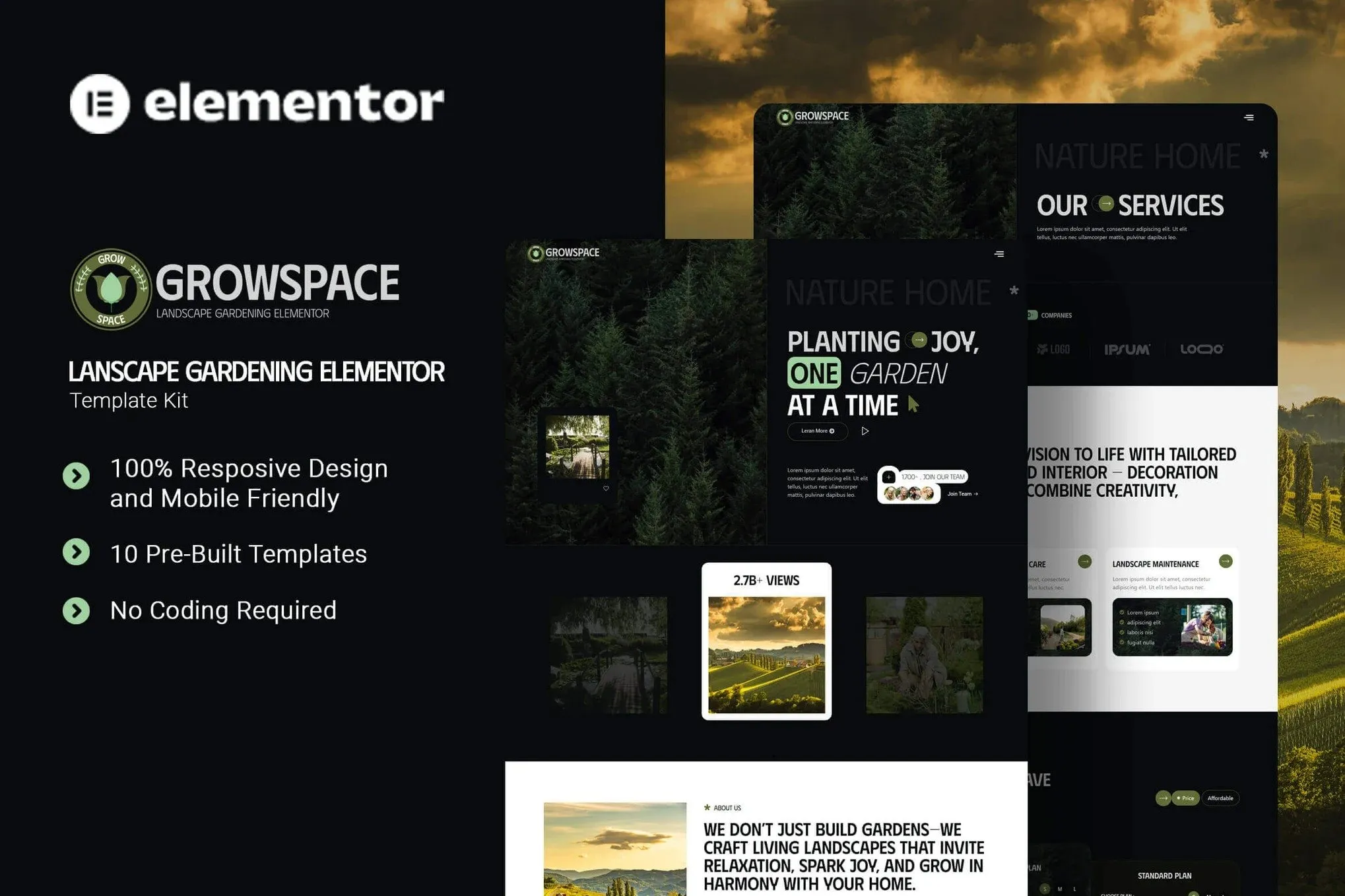
Growscape is a modern and intuitive Elementor Template Kit designed for landscape garden and outdoor design websites. Perfect for garden designers, landscaping services, and outdoor renovation experts, this kit helps you showcase your project portfolio, highlight your expert team, and promote your services with elegance and professionalism. Whether you’re creating serene backyard retreats, modern garden spaces, or sustainable outdoor environments, Greenora makes it easy to attract clients and grow your landscaping brand online. Growscape uses free elements, so don’t worry about trying this one. Growscape provides various pages including Home, About Us, Team, Services, Pricing, Portfolio, Testimonials, FAQs, Blog, 404, Contact Us.
Templates
- Home
- About Us
- Team
- Services
- Pricing
- Portfolio
- Testimonials
- FAQs
- Blog
- 404
- Contact Us
Font Used
Plugin Dependencies :
- Elementor
- Jeg Elementor Kit
- Qi Addons For Elementor
- Metform
- Ultimate Addons for Elementor Lite
How to setup header in Jeg Elementor Kit plugin
If you have Elementor Pro, setup headers and footers in Theme Builder. Pages you create with Elementor must have the Page Layout set to Elementor Full width for the global header and footer to appear.
- Go to Jeg Elementor Kit menu item > Header Template
- Click Add New Header
- Add condition > All Site and click Create
- Click the pencil icon to Edit and elementor will appear
- Click gray folder icon to access My Templates tab
- Insert the header template.
- Customize and Save.
How to Import MetForm Custom Form:
- While edititing a page where a form should appear, open the Elementor navigator to locate the Metform widget.
- Click Edit Form in the builder panel.
- Select New, leave blank selected then click Edit Form button.
- Click ‘Add Template’ grey folder button.
- Click ‘My Templates’ tab.
- Choose your imported MetForm template, then click ‘Insert’.
- Once the template is loaded, click ‘Update’.











Reviews
There are no reviews yet.