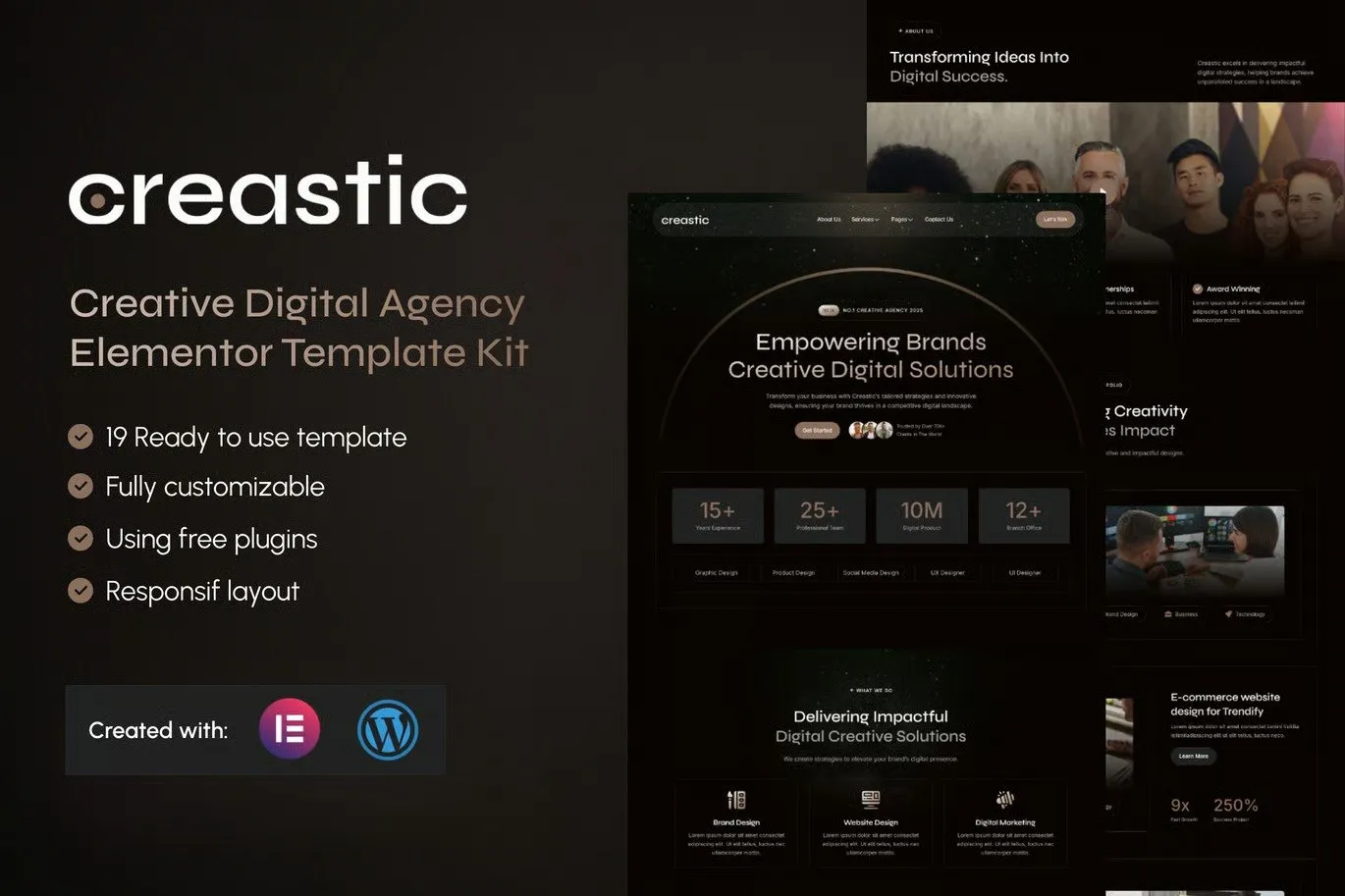
Creastic is an Elementor Template Kit crafted for Creative Digital Agencies (THIS IS A NOT WORDPRESS THEMES). Designed to seamlessly integrate with WordPress and Elementor Free, Creastic is perfect for agencies specializing in branding, web design, content creation, digital marketing, and innovative online solutions.
Creastic empowers you to build a stunning, high-performance website that reflects your agency’s creativity and expertise. With its modern layouts and dynamic design elements, this template kit provides the ideal platform to showcase your portfolio, services, and client success stories. Whether you’re targeting startups, established businesses, or global brands, Creastic helps you make a lasting impression.
This template kit features sections for service overviews, project highlights, testimonials, pricing plans, and contact forms, ensuring your website is both visually appealing and conversion-focused. The responsive design ensures an exceptional user experience across all devices, while intuitive customization options allow you to tailor every detail to align with your brand.
Creastic isn’t just a template—it’s a complete toolkit for digital agencies looking to stand out in a competitive market. By leveraging the power of Elementor Free and WordPress, you can create a website that drives leads, builds trust, and showcases your innovative approach to solving client challenges.
Choose Creastic to elevate your creative digital agency’s online presence. Build a website that speaks to your audience, celebrates your creativity, and fuels your business growth—all with the simplicity and power of WordPress and Elementor Free.
Suitable For:
- Creative Business
- Digital Marketing Services
- Creative Agency
Features:
- Compatible with Free Plugins (Elementor Pro Not Required)
- Professional, Clean Design
- Modern design based on design system
- 19 Ready to use Templates
- Fully Responsive Layout
- Fully Customizable
- Cross Browser Compatibility: Chrome, Firefox, Safari, Opera
- Global Styles – customize fonts and colors in one place
Templates Included :
- Home
- About Us
- Service Set
- Single Services
- Team
- Pricing
- Portfolio
- FAQs
- Blog
- Single Post
- Error 404
- Design Guideline
- Contact Us
- Header
- Footer
- Contact Form (MetForm)
- Subscribe Blog Form(MetForm)
- Single Post Form (MetForm)
- General Form (MetForm)
Required Plugins :
- Elementor
- Elementskit Lite
- MetForm
- Sticky Header Effects for Elementor
- Gum Elementor Addon
Creating pages
- Go to Pages and create a new page and click Edit with Elementor
- Click the gear icon at lower-left of the builder to view page settings and choose Elementor Full Width and hide page title
- Click the gray folder icon to access My Templates tab and then Import the page you’d like to customize.
- The home page is set under Settings > Reading by selecting Static Front Page.
How to Import Metforms
If you have Elementor Pro, skip install of Metform and form blocks.
- Import the metform block templates
- Import the page template where the form appears and right-click to enable the Navigator
- Locate and select the Metform widget and click Edit Form. Choose New, then Edit Form. The builder will appear
- Click ‘Add Template’ grey folder icon.
- Click ‘My Templates’ tab.
- Choose your imported metform template, then click ‘Insert’ (click No for page settings).
- Once the template is loaded, make any desired customizations and click ‘Update & Close’ The form will appear in the template
- Click Update
Setup Global Header and Footer in ElementsKit
If you have Elementor Pro, headers and footers may be customized under Theme Builder.
- Import the header and footer template
- Go to ElementsKit > Header Footer and click Add New (if prompted with a wizard, you may click Next through it without taking any action)
- Title the header, leave Entire Site selected and toggle Activation to On
- Click the gray Edit Content button to load the builder
- Click the gray folder icon and select the header template to import, select your menu in the nav element and click Update.
- Repeat for Footer











Reviews
There are no reviews yet.