Apilink – API as a Service SAAS Platform Elementor Template Kit for Developer Solutions
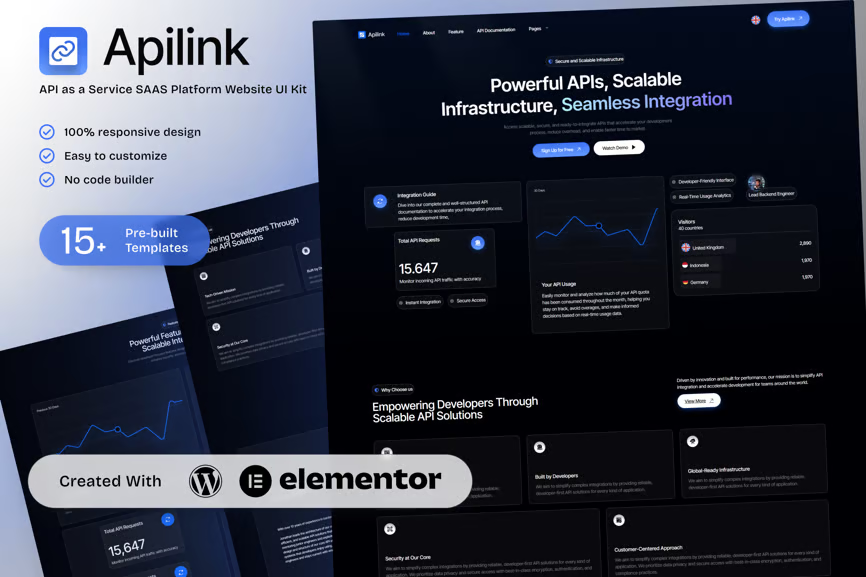
Apilink is a clean, modern API as a Service SaaS Platform Elementor Template Kit, ideal for API providers, developer platforms, and tech agencies. Built with Elementor—no coding needed—it offers a responsive layout to showcase your platform’s strengths: API documentation, developer console, integrations, and practical use cases.
Included pages: Home, About Apilink, Features, API Documentation, Pricing Plans, Use Cases, Developer Console, Integrations, Blog & API Insights, and Contact & Support. The description naturally incorporates LSIenhanced keywords like developer API platform, REST API documentation, SaaS developer tools, API pricing plans, and integration workflows to support keyword relevance and clarity for Envato search indices.
Apilink positions your service as a trusted API solution for developers, freelancers, and startups seeking fast ramp-up with rich documentation and smooth onboarding.
Key Features:
- 15+ ready to use page templates
- Easy customization with Elementor
- Optimized for SEO & lead generation
- Using Free Plugins (Elementor Pro is not required)
- Cross Browser Compatibility: Chrome, Firefox, Safari, Opera
- Built with Free Plugins No premium add ons required, making setup hassle free.
- 100% Fully Responsive & mobile friendly
- Customize fonts and colors in one place (Global Kit Style)
- One Click Installation Import demo content easily with the Envato Elements plugin.
- Fast-loading, clean code, and cross-browser compatible.
- Elegant UI/UX structure
- Easy Customization: Utilize Elementor’s drag and drop interface to personalize your site.
Templates in Zip:
- Home
- About Apilink
- Features
- API Documentation
- Pricing Plans
- Use Cases
- Developer Console
- Integrations
- Blog & API Insights
- Contact & Support
- Global Style
- Header
- Footer
- 404 error pages
Required Plugins:
- Elementor
- ElementsKit Lite
- Ultimate Addons for Elementor Lite
- MetForm
- RTMKit Addons for Elementor
- Prime Slider
How to Import MetForm Custom Form:
- While edititing a page where a form should appear, open the Elementor navigator to locate the Metform widget.
- Click Edit Form in the builder panel.
- Select New, leave blank selected then click Edit Form button.
- Click ‘Add Template’ grey folder button.
- Click ‘My Templates’ tab.
- Choose your imported MetForm template, then click ‘Insert’.
- Once the template is loaded, click ‘Update’.
Setup Global Header and Footer in UAE
If you have Elementor Pro, setup headers and footers in Theme Builder. Pages you create with Elementor must have the Page Layout set to Elementor Full width for the global header and footer to appear.
- Go to UAE > Header Footer and click Add New button
- Give it a title and select Header, Display on Entire Website and click Publish
- Click Edit with Elementor
- Click the gray folder icon to access My Templates tab and select the header template to import and Update.
- Repeat for Footer











Reviews
There are no reviews yet.