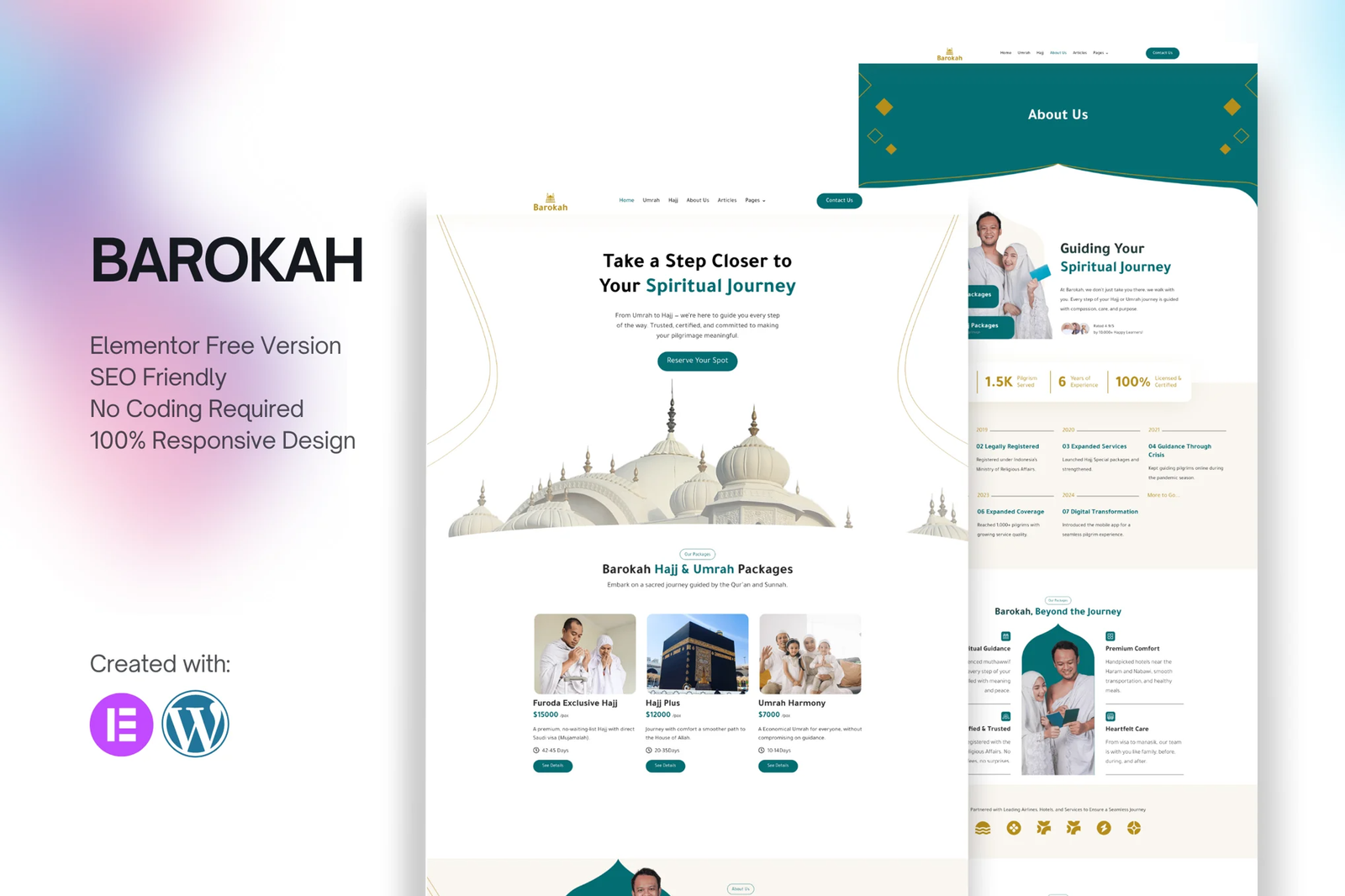
Barokah ? Hajj & Umrah Tour Travel Elementor Template Kit is a collection of layouts for the Elementor page builder WordPress plugin, designed for use with Elementor Free Version for a clean Design. It works with most themes and is optimized for use with the free Hello Elementor theme.
10+ Import Templates Ready For Use :
- Home 1
- Packages
- Service Details
- About Us
- Articles
- Contact
- Faq
- Coming soon
- 404
- Global Style Kit
- Block | Header
- Block | Footer
Template Features
- No upgrades or pro plugin required
- True No Coding Required
- Global Theme Style
Plugins installed with kit
- Elementor
- Elements Kit Lite
- MetForm
- RomeThemeKit for Elementor
- Themesflat Addons for Elementor
Creating pages
- Go to Pages and create a new page and click Edit with Elementor
- Click the gear icon at lower-left of the builder to view page settings and choose Elementor Full Width and hide page title
- Click the gray folder icon to access My Templates tab and then Import the page you?d like to customize.
- The home page is set under Settings > Reading by selecting Static Front Page.
If you have Elementor Pro, headers and footers are customized under Templates > Theme Builder.
For further support, go to Elementor > Get Help in WordPress menu.
How to Setup Slides & Tabs
1.Import the slide/tab block.You may import more than once and find copies under Templates > Saved Templates to customize.
2.Import the template where the slides/tabs appear.
3.Right click the page to open the Navigator and locate the Carousel or Tabs widget
4.Select the slide or tab template from the dropdowns on the general tab of the element options.
How to import Metforms Template
- Import metform
- Import the template where the form appears, then click View Template to load in the builder
- Right click the page to open Metform widgets
- Click New, leave blank selected then click Edit Form button
- Click ?Add Template? grey folder icon.
- Click ?My Templates? tab.
- Choose your imported metform template, then click ?Insert?.
- Once the template is loaded, click ?Update?.
Setup Global Header and Footer in ElementsKit
- Import the header and footer template
- Go to ElementsKit > Header Footer select Header and click Add New
- Give it a title, leave Entire Site selected and toggle Activation to On
- Click the template title and Edit Content
- Click the gray folder icon and select the header template to import and Update.
- Repeat for Footer











Reviews
There are no reviews yet.