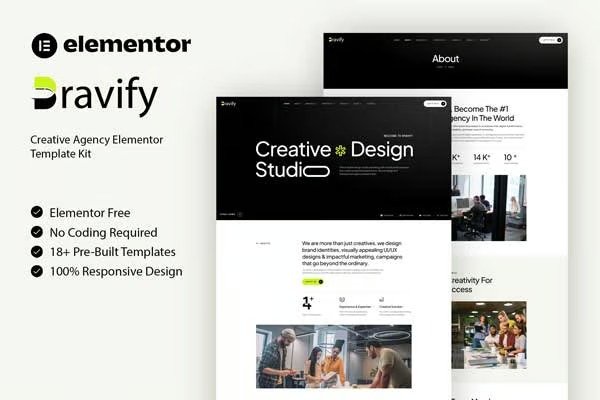
Bravify is a sleek and modern Creative Agency Elementor Template Kit designed
for agencies, studios, freelancers, and innovative businesses looking to build
a professional online presence. With its bold design and intuitive layouts,
Bravify makes it easy to showcase portfolios, services, and client
testimonials, ensuring a seamless user experience across all devices.
This template kit is built exclusively for Elementor, eliminating the need for
coding while offering effortless customization. With pre-designed pages and
flexible layouts, Bravify helps you craft a stunning website that reflects
your brand?s creativity. Stand out in the digital world and bring your ideas
to life with Bravify today!
Features:
- Great for Agencies, Studios and Freelancers
- Fully With Elementor Free Version (Elementor Pro is not required)
- Simple, Modern and Clean Design
- No Coding Knowledge Required
- 18+ Ready To Use Templates
- Easy and Fully Customizable
Templates Include:
- Global Kit Styles
- Home
- About
- Services
- Services Detail
- Portfolio Detail
- Portfolio
- Our Team
- Pricing
- Contact
- Metform Contact
- Blog
- Single Blog
- Footer
- Header
- 404 Page
- FAQ
- Coming Soon
Plugins installed with kit:
How To Import Metform Costum Form
- Import metform template
- Import the template where the form appears, then edit in Elementor
- Click the Metform widget in the column where the form should be and click
Edit Form - Select New, leave blank selected then click Edit Form button
- Click ?Add Template? grey folder button
- Click ?My Templates? tab
- Choose your imported metform template, then click ?Insert?
- Once the template is loaded, click ?Update?
How to setup header in Jeg Elementor Kit plugin If you have
Elementor Pro, headers and footers may be customized under Theme Builder.
- Go to Jeg Elementor Kit menu item > Header Template
- Click Add New Header
- Add condition > All Site and click Create
- Click the pencil icon to Edit and elementor will appear
- Click gray folder icon to access My Templates tab
- Insert the header template.
- Customize and Save.












Reviews
There are no reviews yet.