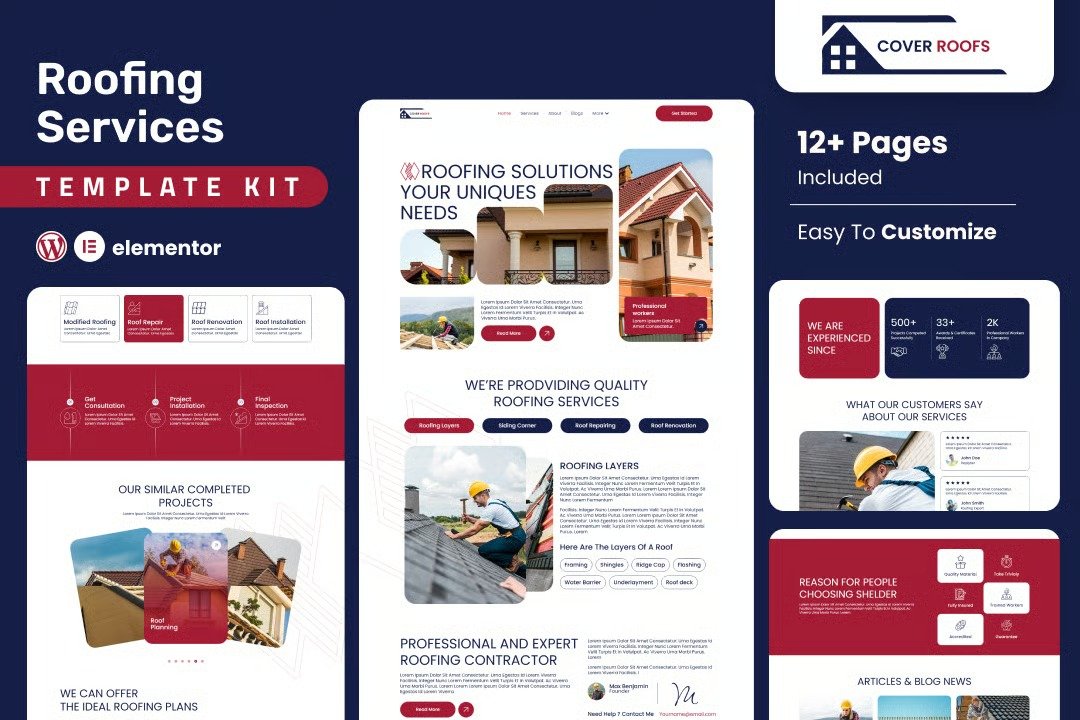
Cover Roofs is a professional Elementor template kit designed specifically for roofing solution providers. This kit is crafted to showcase roofing services in a clean, modern, and visually engaging layout. With pre-designed pages for services, testimonials, about, and contact, it offers everything needed to establish a reliable online presence. The template kit is fully responsive, easy to customize, and optimized for lead generation?ideal for roofing contractors, repair specialists, and roofing maintenance providers who want to boost credibility and attract more clients.
Feature
- Individual elements can be fine-tuned or fonts and colors can be changed all in one spot.
- Drag-and-drop visual builder for true no-code customization.
- Design that is both contemporary and professional.
- Fast-loading.
- Most Elementor themes are compatible with this templatekits.
Templates Include:
- Home
- Services
- About
- Blogs
- Blog Detail
- Contact Us
- Projects
- Testimonials
- FAQs
- FAQs
- Coming Soon
- 404
Sections and Blocks:
- Header
- Footer
- Contact Form
- Newsletter
Required Plugins Pre-Installed With the Kit
- Elementor
- Jeg Elementor Kit
- MetForm
- Happy Addon
- Ultimate Bootstrap Elements for Elementor
- The metform block templates should be imported.
- Import the page template with the form on it and enable the Navigator by right-clicking.
- Click Edit Form after locating and selecting the Metform widget. Then select New and Edit Form from the drop-down menu. The function Object() { [native code] } will show up.
- Select the grey folder icon that says ?Add Template?.
- Select the ?My Templates? option from the drop-down menu.
- Then click ?Insert? after selecting your imported metform template (click No for page settings).
- After you?ve finished customizing the template, click ?Update & Close.? In the template, the form will appear.
- Update the information by clicking the button.
- Import the template for the header and footer.
- Navigate to Jeg Elementor Kit > Header Footer and select Add New (if prompted with a setup wizard, click through it without taking any action).
- Toggle Activation to ?On,? name your header, and select Entire Site as the display option.
- Click Edit with Elementor to open the builder.
- Click the grey folder icon to import the header template, select your menu in the navigation element, and then click Update.
- Repeat the steps for the footer.











Reviews
There are no reviews yet.