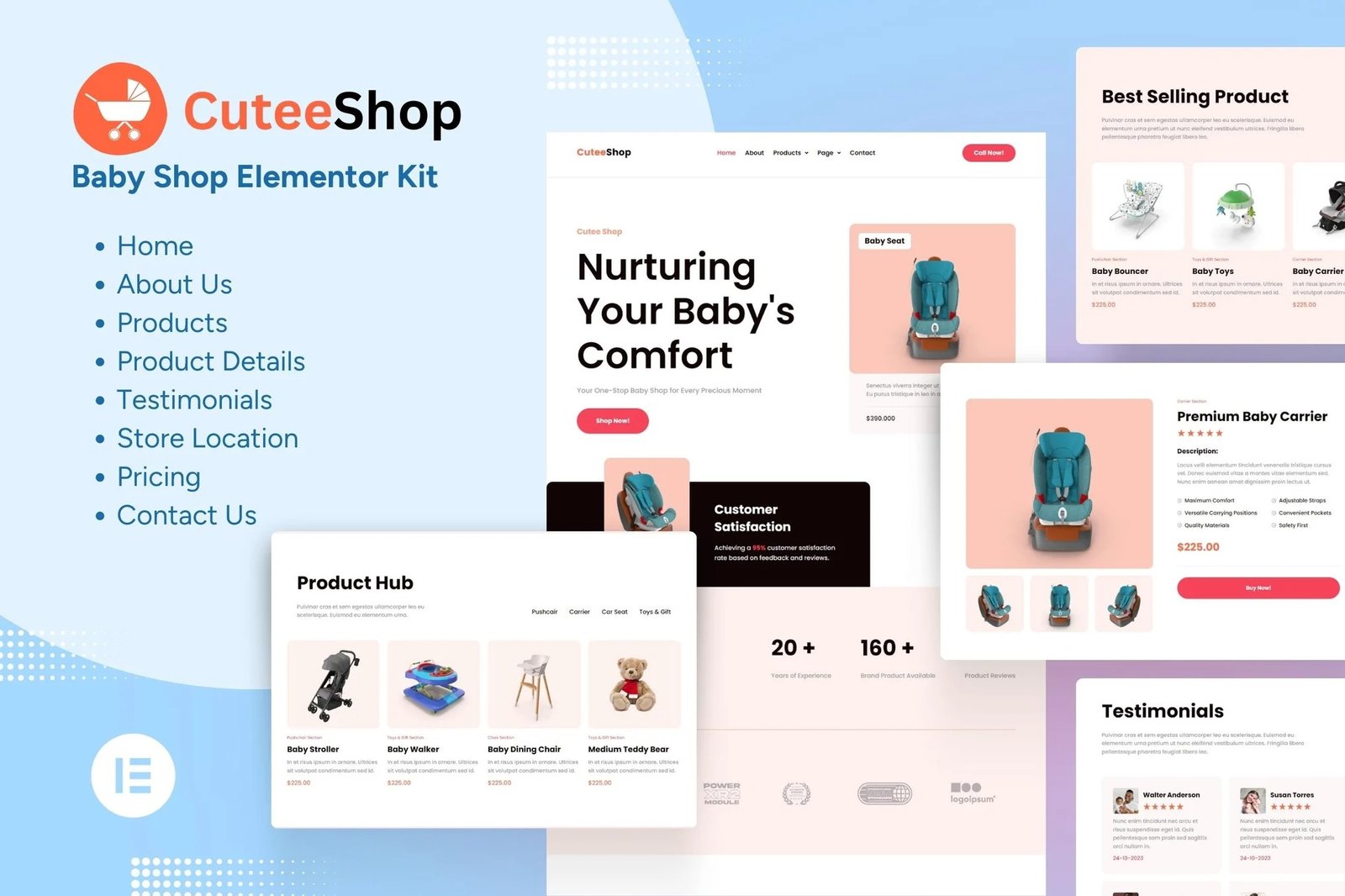
CuteeShop is an Elementor Template Kit for quickly and easily creating websites for your business using the Elementor Page Builder plugin for WordPress. Powered by the intuitive Elementor, this template empowers you to create a charming and functional baby store effortlessly.
Engaging Product Gallery
Showcase your extensive range of baby, toddler, and kids? products beautifully. Capture the attention of parents with high-quality images and create an unforgettable shopping experience.
Effortless Setup
Whether you?re a seasoned developer or a beginner, our template is a breeze to install. No coding skills are needed. Simply import the template, customize it to match your brand, and launch your online store quickly.
Cater to the needs of parents while simplifying the online shopping journey with our Baby Shop Ecommerce Elementor Kit Template. Upgrade your online presence and provide parents with a delightful shopping destination for their little ones.
- Features
- True no-code customization with drag and drop visual builder
- Customize fonts and colors in one place or fine-tune on individual elements
- Modern, professional design
- Fast-loading
- Works with most Elementor themes.
Pages Included:
- Homepage
- About Us
- Products
- Product Details
- Testimonials
- Store Location
- Pricing
- Contact Us
Addons installed with kit
- Elementor Header & Footer Builder –
- Jeg Elementor Kit
- RomethemeForm
How to Setup Forms
If you have Elementor Pro, skip install of form plugin and form blocks.
- Import the form blocks.
- Click on RomethemeForm > Forms in the admin menu
- Click Add New
- Enter a Form Name and click Save and Edit (ignore other options)
- Click the gray folder icon in the builder area and click the My Templates tab
- Click Insert on the form block
- Click Publish/Update
- When customizing pages with forms, click the Rometheme Form Element and select the form from the drop-down
How to setup header in Jeg Elementor Kit plugin
If you have Elementor Pro, headers and footers may be customized under Theme Builder.
- Go to Jeg Elementor Kit menu item > Header Template
- Click Add New Header
- Add condition > All Site and click Create
- Click gray folder icon to access My Templates tab
- Insert the header template.
- Customize and Save.












Reviews
There are no reviews yet.