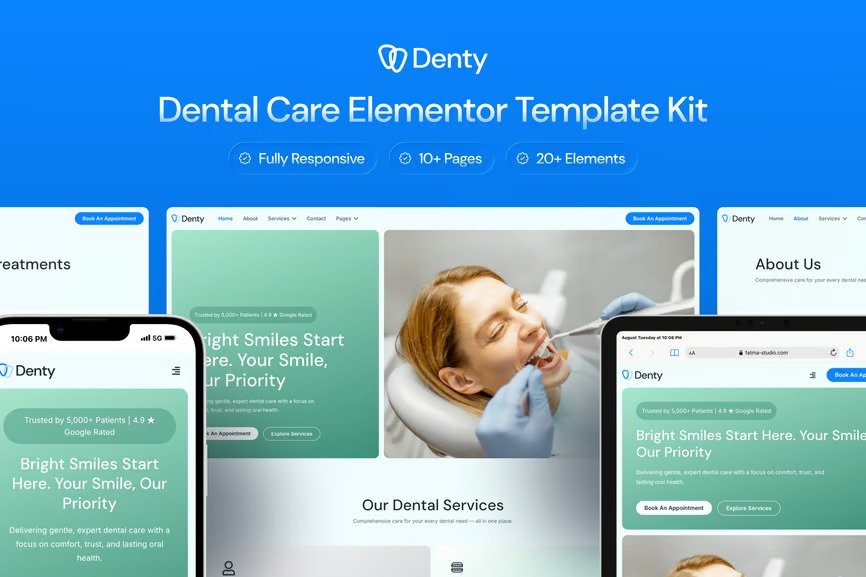
Denty is a clean and calming Elementor template kit designed specifically for dental clinics, orthodontists, and cosmetic dentistry practices. With a modern yet clinical look, this kit builds trust, improves patient engagement, and simplifies appointment booking.
Perfect for practices that want a professional online presence without overwhelming visuals, Denty’s design focuses on clarity, accessibility, and patient comfort—making it easy to showcase services, share testimonials, and connect with patients.
Features
- Calm & Professional Design Language
- Optimized for Dental Clinics and Orthodontists
- Fully Customizable with Elementor Free
- Patient-Friendly Layouts with Clear Calls-to-Action
- Appointment Forms Built with MetForm
Templates Included
- Home
- About Us
- Services
- Appointment
- Gallery
- Testimonials
- Blog
- Single Post
- Contact
- Pricing
- 404 Page
- Header
- Footer
- Appointment Form
- Newsletter Form
Required Plugins
- Elementor
- ElementsKit Lite
- Jeg Elementor Kit
- Metform
- Sticky Header Effects for Elementor
How to setup header in Jeg Elementor Kit plugin
If you have Elementor Pro, setup headers and footers in Theme Builder. Pages you create with Elementor must have the Page Layout set to Elementor Full width for the global header and footer to appear.
- Go to Jeg Elementor Kit menu item > Header Template
- Click Add New Header
- Add condition > All Site and click Create
- Click the pencil icon to Edit and elementor will appear
- Click gray folder icon to access My Templates tab
- Insert the header template.
- Customize and Save.
Importing MetForms
- Import MetForm blocks.
- Edit page template, click MetForm widget → Edit Form.
- Choose New → Edit → Click folder icon.
- Select imported form → Update → Update again.












Reviews
There are no reviews yet.