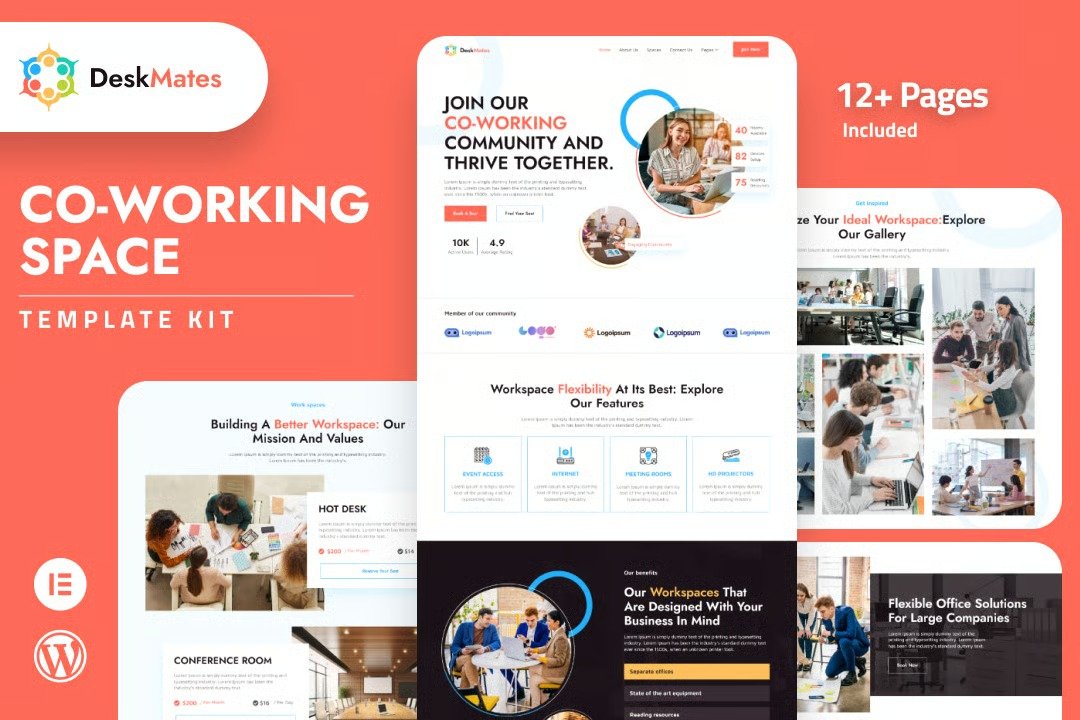
DeskMates is an Elementor TemplateKit made for modern coworking hubs. Enjoy the benefits of a professional, easy-to-use, and stylish website.?DeskMates? has user-friendly features, making it easy to customize and interact with your clients. It also helps boost your business and make you successful. Don?t wait any longer; upgrade your website and take your coworking space to new heights today!
Features
- Individual elements can be fine-tuned or fonts and colors can be changed all in one spot.
- Drag-and-drop visual builder for true no-code customization.
- Design that is both contemporary and professional.
- Fast-loading.
- Can be used with most themes that support Elementor
Templates Include:
- Home
- About Us
- Spaces
- Contact Us
- Gallery
- Testimonials
- Location
- Blogs
- Faqs
- Pricing
- 404
- Coming Soon
Sections and Blocks:
- Header
- Footer
- Contact Form
- Booking Form
- Question Form
- Newsletter Form
Plugins Pre-Installed With the Kit
How to Import Metforms
If you have Elementor Pro, skip install of Metform and form blocks.
- Import the metform block templates
- Import the page template where the form appears and right-click to enable the Navigator
- Locate and select the Metform widget and click Edit Form. Choose New, then Edit Form. The builder will appear
- Click ?Add Template? grey folder icon.
- Click ?My Templates? tab.
- Choose your imported metform template, then click ?Insert? (click No for page settings).
- Once the template is loaded, make any desired customizations and click ?Update & Close? The form will appear in the template
- Click Update
Setup Global Header and Footer in ElementsKit
If you have Elementor Pro, headers and footers may be customized under Theme Builder.
- Import the header and footer template
- Go to ElementsKit > Header Footer and click Add New (if prompted with a wizard, you may click Next through it without taking any action)
- Title the header, leave Entire Site selected and toggle Activation to On
- Click the gray Edit Content button to load the builder
- Click the gray folder icon and select the header template to import, select your menu in the nav element and click Update.
- Repeat for Footer












Reviews
There are no reviews yet.