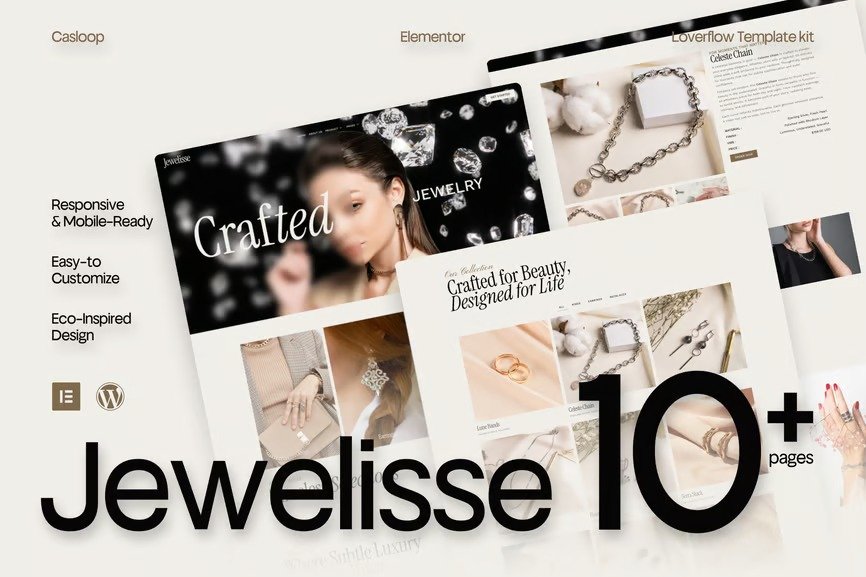
Jewelisse is an editorial-inspired Elementor template kit designed for jewelry brands, luxury labels, and beauty creators who crave modern sophistication with a visual heartbeat.
With sharp layouts, graceful whitespace, and typography that speaks in soft boldness — Veloura feels like a glossy magazine cover turned digital. Whether you’re launching a fine jewelry line or curating a fashion-forward beauty brand, this kit is your runway-ready canvas.
Responsive, mobile-friendly, and powered by Elementor Free, Veloura is elegance with edge — and clarity with class. Perfect for those who believe that design, like jewelry, should be worn with intention.
Features Specification:
- Built with Elementor Free (no pro plugin needed)
- Fully responsive & mobile-first design
- Lightweight and fast-loading performance
- Designed for jewelry, fashion, and luxury beauty brands
- Modern editorial-style layouts with elegant typography
- Custom sections for lookbooks, collections, and product features
- Easy customization — no coding required
- Includes contact, about, shop preview & brand story pages
- Clean UI with high visual impact
- Lovingly crafted in Casloop style
Pages Included:
- Home
- About Us
- Product
- Product Detail
- Pricing
- FAQs
- Team
- Gallery
- 404 Page
- Thank You
- Contact Us
Blocks Included:
- Header
- Footer
Included Plugins:
- Elementor
- Jeg Elementor Kit
- Met Form
- Elements Kit
How to setup header in Jeg Elementor Kit plugin
If you have Elementor Pro, headers and footers may be customized under Theme Builder.
- Go to Jeg Elementor Kit menu item > Header Template
- Click Add New Header
- Add condition > All Site and click Create
- Click the pencil icon to Edit and elementor will appear
- Click gray folder icon to access My Templates tab
- Insert the header template.
- Customize and Save.
How to Import Metforms
If you have Elementor Pro, skip install of Metform and form blocks.
- Import the metform block templates
- Import the page template where the form appears and right-click to enable the Navigator
- Locate and select the Metform widget and click Edit Form. Choose New, then Edit Form. The builder will appear
- Click ‘Add Template’ grey folder icon.
- Click ‘My Templates’ tab.
- Choose your imported metform template, then click ‘Insert’ (click No for page settings).
- Once the template is loaded, make any desired customizations and click ‘Update & Close’ The form will appear in the template
- Click Update












Reviews
There are no reviews yet.