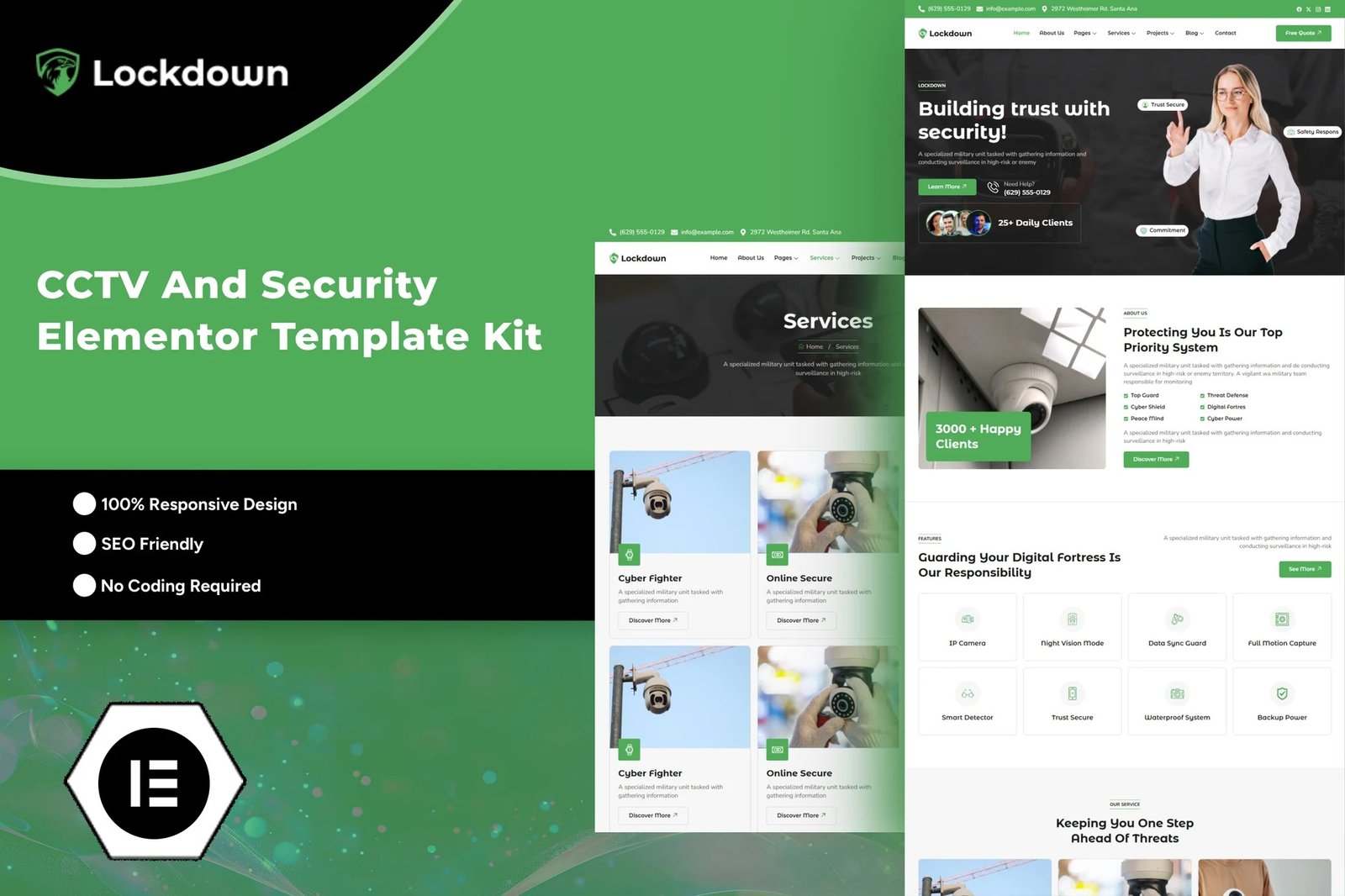
Lockdown ? It could be a perfect choice for security or CCTV business. If you?re ready to launch your company website, lockdown is the perfect option for you. Lockdown is a clean and professional design with a 100% responsive layout, retina-ready. Save your time to making a website with this Elementor template kit. With Elementor Page Builder, you can easily edit or customize it, no coding is required, just drag and drop.
Elementor Template Kits contain page content for Elementor page builder. This kit has been optimized for use with the free Hello Elementor theme but may be used with most themes that support Elementor.
Layout Features :
- Modern and Professional design
- Cross Browser Compatibility
- 100% Responsive & mobile-friendly
- 12+ Page templates ready to use
- Customize fonts and colors in one place (Global Kit Style)
What?s Included in the Zip :
- Home
- About
- Services
- Service Details
- Team
- Testimonials
- Pricing
- Our Faq
- 404 Error
- Projects
- Project Details
- Blog
- Blog Details
- Contact
- Header
- Footer
Plugins installed with kit:
- Elementor
- ElementsKit Lite
- MetForm
- Romethemekit For Elementor
Creating pages:
- Go to Pages and create a new page and click Edit with Elementor
- Click the gear icon at lower-left of the builder to view page settings and choose Elementor Full Width and hide page title
- Click the gray folder icon to access My Templates tab and then Import the page you?d like to customize.
- The home page is set under Settings > Reading by selecting Static Front Page.
For further support, go to Elementor > Get Help in WordPress menu
How to Import Metforms
- Import the metform block templates
- Import the page template where the form appears and right-click to enable the Navigator
- Locate and select the Metform widget and click Edit Form. Choose New, then Edit Form. The builder will appear
- Click ?Add Template? grey folder icon.
- Click ?My Templates? tab.
- Choose your imported metform template, then click ?Insert? (click No for page settings).
- Once the template is loaded, make any desired customizations and click ?Update & Close? The form will appear in the template
- Click Update











Reviews
There are no reviews yet.