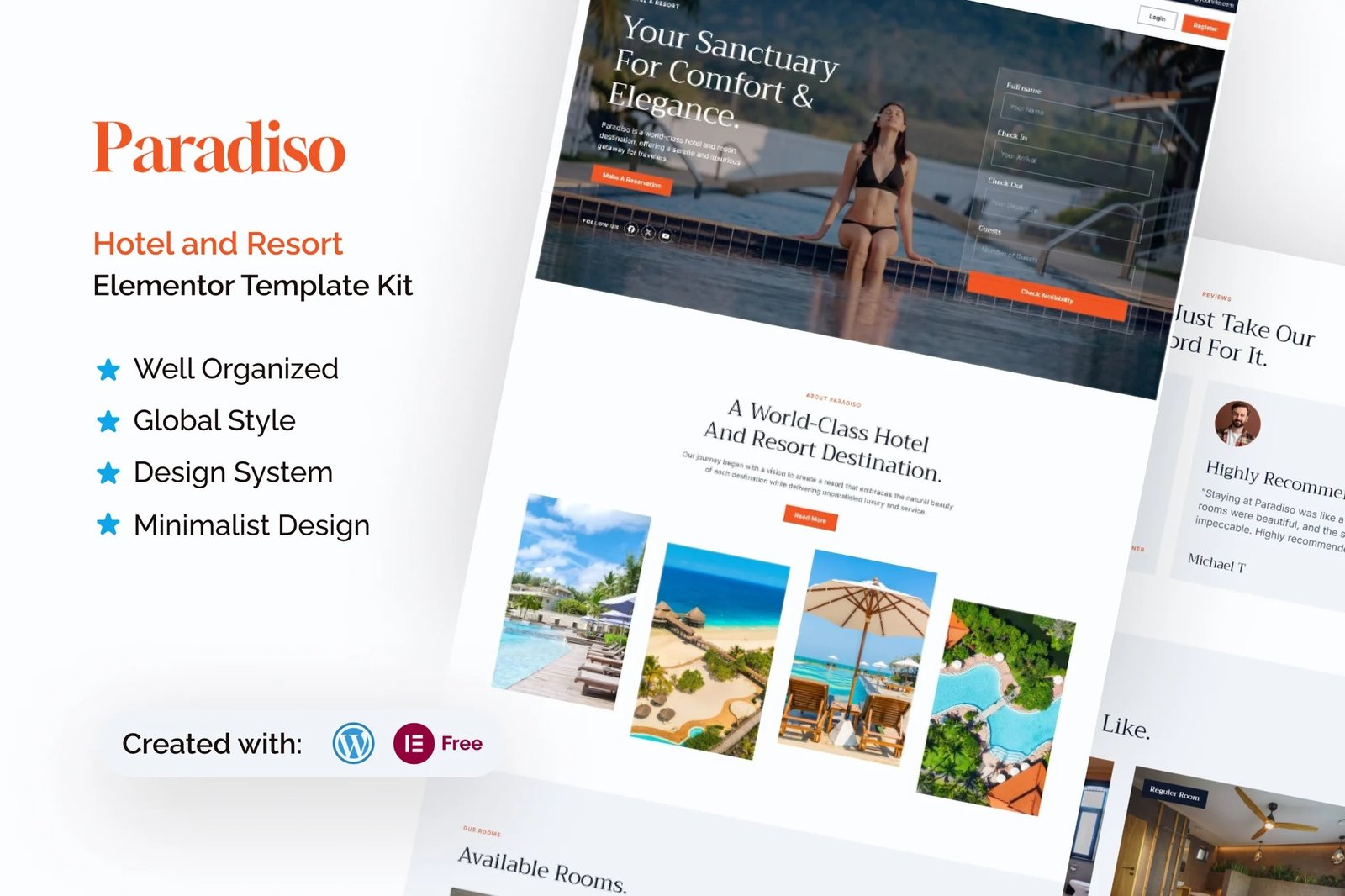
Paradiso is an Elementor Template Kit designed specifically for the Hotel and Resort industry. Built using the powerful combination of Elementor and WordPress, this template provides users with unparalleled ease of customization, allowing them to create stunning websites without the need for coding expertise. With its minimalist design and fully responsive layout, Paradiso ensures that your website will look flawless on any device and browser.
Whether you are managing a luxury resort, a boutique hotel, or a vacation rental property, Paradiso is the perfect choice for showcasing your services. The template?s intuitive design and user-friendly interface make it ideal for businesses within the Hotel and Resort sector. Its cross-browser compatibility and fully customizable features allow you to tailor your website to reflect your brand identity seamlessly.
Paradiso comes packed with 23+ total templates, including dedicated pages for room listings and room details. These features empower you to present your offerings with clarity and professionalism. By leveraging this template, businesses can enhance user experience, attract more visitors, and boost bookings, making Paradiso an invaluable asset for your online presence.
Suitable For:
- Vacation Rentals
- Business Hotels
- Family-Friendly Hotels
Features:
- Unique & Clean Design
- Modern design based on design system
- 23+ Ready to use pages
- Unlimited colors
- More than 900 ready fonts
- Fully Responsive Layout
- Fully Customizable
- Click to Go To Top
- Cross Browser Compatibility: Chrome, Firefox, Safari, Opera
Templates Include:
- Global Theme Style
- Design Guideline
- Homepage
- About Us
- Newsletter Form
- Quick Booking Form
- Get In Touch Form
- Feedback Form
- Contact Form
- Contact
- Coming Soon
- 404
- Single Post
- Single Post Newsletter Form
- Our Blog
- Reservation
- FAQ
- Reviews
- Gallery
- Locations
- Stories
- Room Detail
- Room List
- Footer
- Header
Required Plugin(included):
- Elementor
- The Pluss Add-ons
- ElementsKit Lite
- Gum Elementor Kit
- MetForm
How to Import Metforms
If you have Elementor Pro, skip install of Metform and form blocks.
- Import the metform block templates
- Import the page template where the form appears and right-click to enable the Navigator
- Locate and select the Metform widget and click Edit Form. Choose New, then Edit Form. The builder will appear
- Click ?Add Template? grey folder icon.
- Click ?My Templates? tab.
- Choose your imported metform template, then click ?Insert? (click No for page settings).
- Once the template is loaded, make any desired customizations and click ?Update & Close? The form will appear in the template
- Click Update
Setup Global Header and Footer in ElementsKit
If you have Elementor Pro, headers and footers may be customized under Theme Builder.
- Import the header and footer template
- Go to ElementsKit > Header Footer and click Add New (if prompted with a wizard, you may click Next through it without taking any action)
- Title the header, leave Entire Site selected and toggle Activation to On
- Click the gray Edit Content button to load the builder
- Click the gray folder icon and select the header template to import, select your menu in the nav element and click Update.
- Repeat for Footer











Reviews
There are no reviews yet.