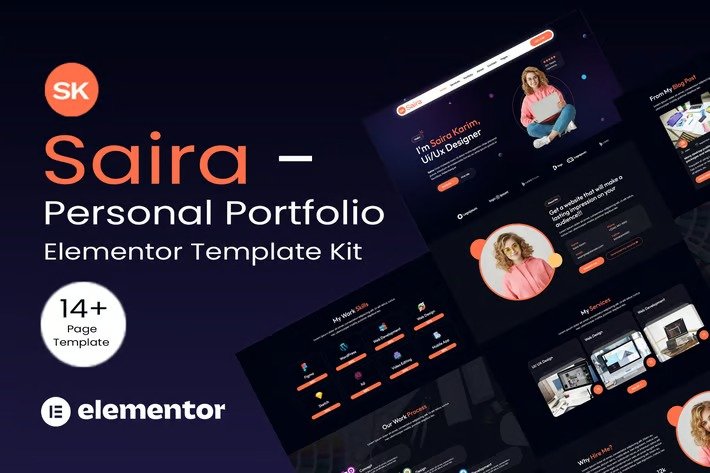
Saira – Personal Portfolio is an Elementor Template Kit designed specifically for portfolio, personal portfolio, web developer, web designer, digital marketer and any person in need of a sleek online presence. Saira have complete template package to launch your Portfolio Website. Saira has a clean and professional design with a 100% responsive layout, retina-ready, and very easy to customize because using Elementor so you don’t need a single line of coding!
This Template Kit contains page content for creating Elementor pages. This kit has been optimized for use with the free “Hello Elementor” theme.
Layout Features :
- Modern and Professional design
- Cross Browser Compatibility
- Using Free Plugins (Elementor Pro is not required)
- 100% Responsive & mobile-friendly
- 14+ Page templates ready to use
- Customize fonts and colors in one place (Global Kit Style)
What’s Included in the Zip :
- Home
- Services
- Portfolio
- About
- Contact
- Resume
- Blog
- Blog details
- FAQ’s
- 404 Page
- Header v1
- Footer v1
- Metform – Contact
- Metform – Newsletter
Plugins installed with kit
- Elementor
- ElementsKit Lite
- Jeg Elementor Kit
- Skyboot
- MetForm
How to Import Metforms
If you have Elementor Pro, skip install of Metform and form blocks.
- Import the metform block templates
- Import the page template where the form appears and right-click to enable the Navigator
- Locate and select the Metform widget and click Edit Form. Choose New, then Edit Form. The builder will appear
- Click ‘Add Template’ grey folder icon.
- Click ‘My Templates’ tab.
- Choose your imported metform template, then click ‘Insert’ (click No for page settings).
- Once the template is loaded, make any desired customizations and click ‘Update & Close’ The form will appear in the template
- Click Update
How to setup header in Jeg Elementor Kit plugin
If you have Elementor Pro, headers and footers may be customized under Theme Builder.
- Go to Jeg Elementor Kit menu item > Header Template
- Click Add New Header
- Add condition > All Site and click Create
- Click the pencil icon to Edit and elementor will appear
- Click gray folder icon to access My Templates tab
- Insert the header template.
- Customize and Save.












Reviews
There are no reviews yet.