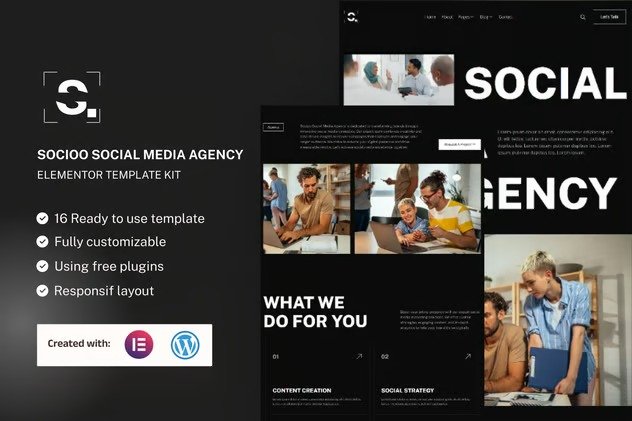
Introducing Socioo (THIS IS A NOT WORDPRESS THEME) the ultimate template kit for Social Media Agencies, now available for WordPress and Elementor Free. Tailored specifically for social media marketing firms, digital agencies, and industry professionals, Socioo seamlessly merges the creative power of Elementor Free with the reliability of WordPress.
Harness the simplicity of Elementor Free and the robustness of WordPress as Socioo empowers you to effortlessly build and customize your website. This template kit is meticulously designed to cater to the needs of social media agencies, providing a dynamic platform to showcase your services, highlight successful campaigns, and engage with potential clients.
With “Socioo” your website becomes a vibrant showcase of your social media prowess, featuring sleek design elements, modern layouts, and interactive features that capture the essence of your agency’s creativity. From compelling portfolio displays to seamless contact forms, every detail is crafted to offer an exceptional user experience for visitors exploring your offerings.
More than just a template, Socioo is a versatile toolkit that adapts to the diverse demands of the social media industry. Whether you specialize in social media management, influencer marketing, content creation, or digital strategy, Socioo provides the tools to present your services effectively and connect with your audience.
Embrace the power of WordPress and Elementor Free to elevate your social media agency’s online presence. Choose Socioo for a website that not only showcases your expertise but sets a new standard for professionalism and innovation in the digital space. Transform your social media services with Socioo and attract clients with confidence and creativity.
Suitable For:
- Social Media Marketing
- Creative Agency
- Digital Agency
Features:
- Compatible with Free Plugins (Elementor Pro Not Required)
- Unique & Clean Design
- Modern design based on design system
- 16 Ready to use Templates
- Fully Responsive Layout
- Fully Customizable
- Cross Browser Compatibility: Chrome, Firefox, Safari, Opera
Templates Included:
- Global Theme Style
- Home
- About Us
- Services
- Pricing
- Our Team
- Case Studies
- FAQ
- 404 Pages
- Blog
- Single Post
- Contact Us
- Header
- Footer
- Form Subscribe (MetForm)
- Form Homepage (MetForm)
- Form Contact (MetForm)
Required Plugin(included):
- Elementor
- Elementskit Lite
- Gum Elementor Addon
- MetForm
- Sticky Header Effects for Elementor
Creating pages :
- Go to Pages and create a new page and click Edit with Elementor
- Click the gear icon at lower-left of the builder to view page settings and choose Elementor Full Width and hide page title
- Click the gray folder icon to access My Templates tab and then Import the page you’d like to customize.
- The home page is set under Settings > Reading by selecting Static Front Page.
If you have Elementor Pro, headers and footers are customized under Templates > Theme Builder.
How to Import Metforms. If you have Elementor Pro, skip install of Metform and form blocks :
- Import the metform block templates
- Import the page template where the form appears and right-click to enable the Navigator
- Locate and select the Metform widget and click Edit Form. Choose New, then Edit Form. The builder will appear
- Click ‘Add Template’ grey folder icon.
- Click ‘My Templates’ tab.
- Choose your imported metform template, then click ‘Insert’ (click No for page settings).
- Once the template is loaded, make any desired customizations and click ‘Update & Close’ The form will appear in the template
- Click Update
Setup Global Header and Footer in ElementsKit
.
If you have Elementor Pro, headers and footers may be customized under Theme Builder.
- Import the header and footer template
- Go to ElementsKit > Header Footer and click Add New (if prompted with a wizard, you may click Next through it without taking any action)
- Title the header, leave Entire Site selected and toggle Activation to On
- Click the gray Edit Content button to load the builder
- Click the gray folder icon and select the header template to import, select your menu in the nav element and click Update.
- Repeat for Footer












Reviews
There are no reviews yet.