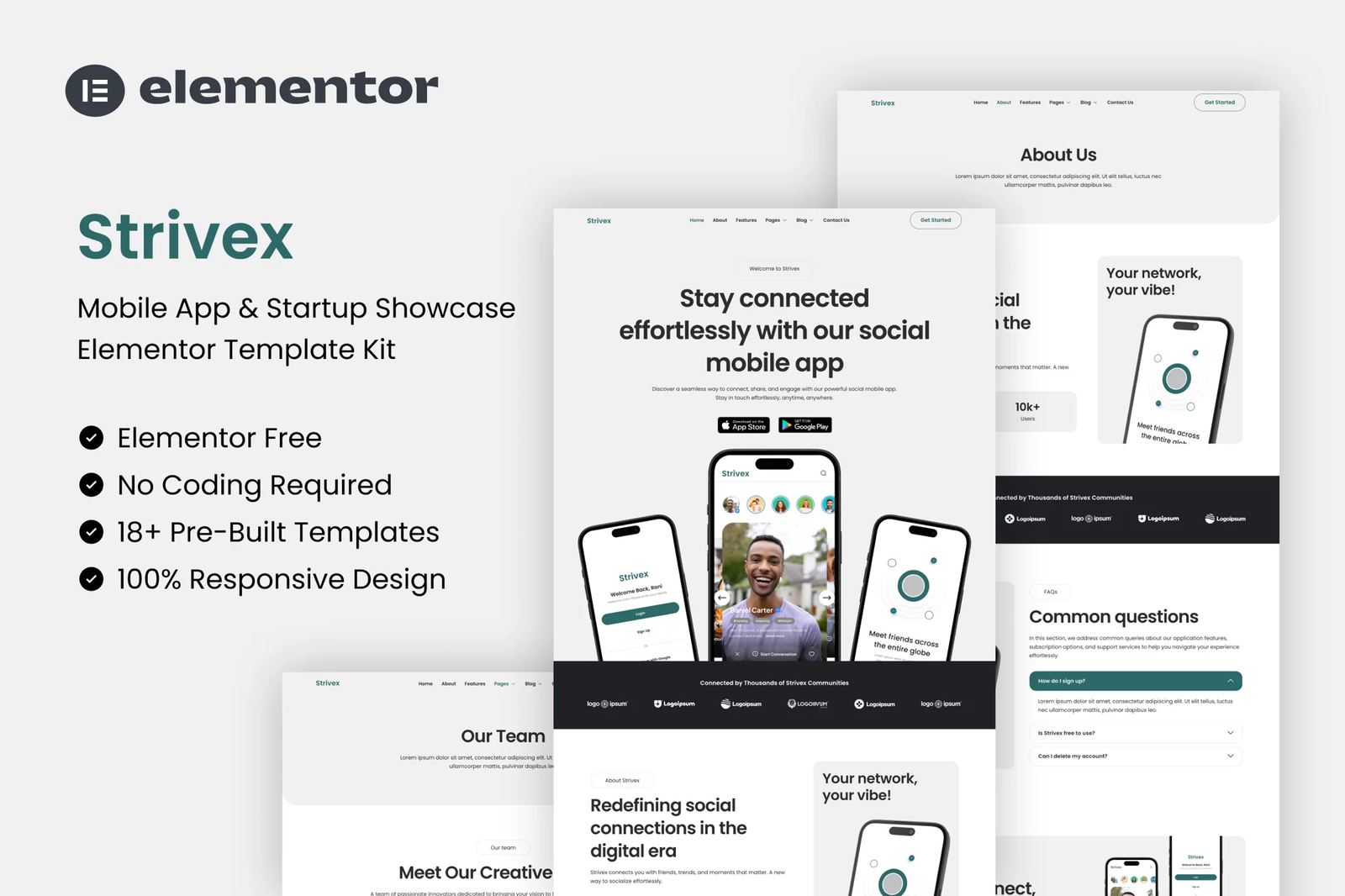
Strivex is a modern and stylish Social Media & Community Elementor Template Kit
designed for social networking platforms, online communities, and digital
interaction hubs. Whether you are launching a social app, a professional
network, or a niche community, Strivex provides all the essential pages with a
sleek, mobile-friendly design.
With its clean, responsive, and highly customizable layouts, Strivex helps you
showcase your app?s features, user benefits, and engagement tools
effortlessly. Built for Elementor, it requires no coding knowledge, offering a
seamless experience for customization. Elevate your online presence and
captivate users with Strivex?s engaging and dynamic design.
Features:
- Great for Mobile App & Social Media
- Fully With Elementor Free Version (Elementor Pro is not required)
- Simple, Modern and Clean Design
- No Coding Knowledge Required
- 14+ Ready To Use Templates
- Easy & Fully Customizable
Templates Include:
- Global Kit Styles
- Home
- About
- Features
- Pricing
- Our Team
- Contact Us
- Metform Contact
- FAQs
- Blog
- Single BLog
- 404 Page
- Header
- Footer
Plugins installed with kit:
- ElementsKit Lite
- Gum Elementor Addon
- MetForm
How To Import Metform Costum Form
- Import metform template
- Import the template where the form appears, then edit in Elementor
- Click the Metform widget in the column where the form should be and click
Edit Form - Select New, leave blank selected then click Edit Form button
- Click ?Add Template? grey folder button
- Click ?My Templates? tab
- Choose your imported metform template, then click ?Insert?
- Once the template is loaded, click ?Update?
Setup Global Header and Footer in ElementsKit Lite Header Footer Builder Plugin If you have
Elementor Pro, headers and footers may be customized under Theme Builder.
- Import the header and footer template
- Go to ElementsKit Lite > Header Footer and click Add New button
- Give it a title and select Header, Display on Entire Site and click Publish
- Click Edit with Elementor
- Click the gray folder icon to access My Templates tab and select the header template to import and Update.
- Repeat for Footer











Reviews
There are no reviews yet.