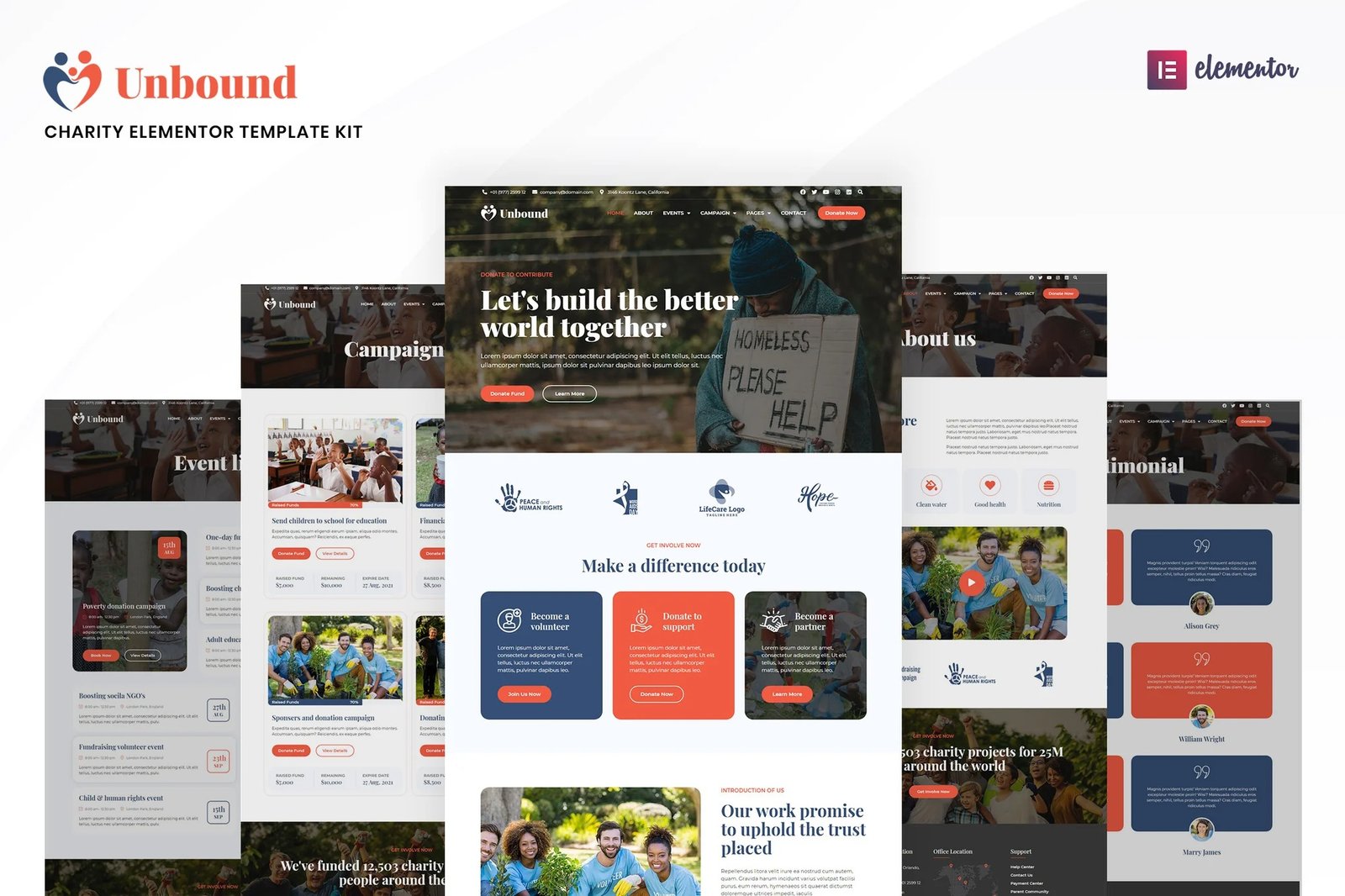
Unbound ? A Charity and Nonprofit Elementor Template Kit created especially to build versatile sites such as charity, donation, events, ngo, foundation, fundraising, nonprofit, religion, shop, store, organization, volunteer and all other charity & NGO websites without a single line of coding!
This template kit includes ready-to-use beautifully crafted 20+ Page Templates. You can build your professional looking websites with the most popular page builder Elementor that can easily drag-and-drop your ideas from the interface.
Highlighted Features
- Modern & Professional Design
- 20+ Ready to use Templates
- Shop Ready templates
- Fully Responsive Layout
- Speed optimized for Fast-loading
- Fully Customizable
- Works with most Elementor themes
- No Coding Required
Page templates included
- Global Kit Styles ? Customize fonts & color in one place
- Home
- About Us
- Campaigns
- Campaign Details
- Events
- Event Details
- Volunteer
- Career
- Career detail
- Testimonial
- FAQ
- Contact
- Coming Soon
- Blog
- Shop / Products
- Shop / Products Detail
- Single Page for Theme Builder
- Single Post for Theme Builder
- 404 Error Page
- Search Result for Theme Builder
- Header for Theme Builder
- Footer for Theme Builder
Compatible Themes
- Hello Elementor
- Most of themes that compatible with elementor
Required Plugins installed with kit
- Elementor
- ElementsKit Lite
- WooCommerce (for shop pages)
How to Install:
- Install and Activate the ?Envato Elements? plugin from Plugins > Add New in WordPress
- Do not unzip
- Go to Elements > Installed Kits and click the Upload Template Kit button.
- Before importing a template, ensure the Install Requirements button is clicked to activate required plugins
- For best results, do not import more than one template at a time.
- Go to Pages and create a new page and click Edit with Elementor
- Click the gear icon at lower-left of the builder to view page settings and choose Elementor Full Width and hide page title
- Click the gray folder icon to access My Templates tab and then Import the page you?d like to customize











Reviews
There are no reviews yet.