WooCommerce Back In Stock Notifications Extension: Boosting Sales and Customer Satisfaction
In the fast-paced world of e-commerce, one thing that can make or break a sale is product availability. Customers visit your online store with the intent to purchase, but what happens when the item they desire is out of stock? Frustration sets in, and there’s a high chance they’ll abandon their shopping carts and look elsewhere. However, there’s a solution to this problem ? WooCommerce Back In Stock Notifications Extension. In this article, we’ll delve into the details of this extension and how it can significantly benefit your online business.
Why Stock Availability Matters
It’s no secret that product availability is directly linked to sales. When a customer can’t find the product they want, they can’t buy it. This leads to missed sales opportunities and a potential dent in your revenue.
Beyond sales, stock availability also plays a crucial role in customer satisfaction and loyalty. A customer who has a positive shopping experience is more likely to return for future purchases and recommend your store to others.
WooCommerce Back In Stock Notifications Extension Explained
The WooCommerce Back In Stock Notifications Extension is a powerful tool designed to notify customers when an out-of-stock product is back in stock. It’s a simple yet effective way to keep customers informed and engaged.
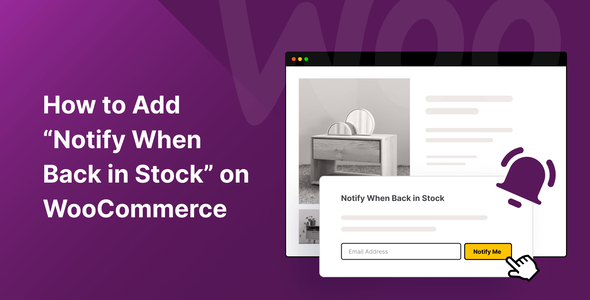
This extension integrates seamlessly with your WooCommerce store. When a product is out of stock, a “Notify Me” button appears. Customers can click on it, enter their email addresses, and receive automatic notifications when the product is available again.
Customization Options:
One of the key features of this extension is its flexibility. You can customize the appearance of the notification button to match your website’s design. Additionally, you can control how often notifications are sent to customers.
Benefits of Using WooCommerce Back In-Stock Notifications Extension
Increased Sales:
By alerting customers when their desired product is back in stock, you’re more likely to convert their interest into a purchase. This leads to a direct increase in sales and revenue.
Enhanced Customer Engagement:
Customers appreciate being informed and involved. The notification system keeps them engaged with your store, even when products are temporarily unavailable.
Data Collection:
The extension collects valuable data on customer preferences. You can use this data to make informed decisions about product restocking and marketing strategies.
How to Implement WooCommerce Back-In-Stock Notifications Extension
Installation:
Installing the extension is a breeze. Simply go to the WooCommerce settings, add the extension, and follow the setup wizard.
Configuration:
Once installed, configure the extension to suit your store’s needs. Set notification intervals and customize the button’s appearance.
Testing:
Before going live, test the notification system to ensure it works seamlessly. Make sure customers receive timely notifications.
Conclusion
In the competitive world of e-commerce, every advantage counts. The WooCommerce Back In Stock Notifications Extension is a valuable tool that not only boosts sales but also enhances customer satisfaction and loyalty. By keeping customers informed and engaged, you create a positive shopping experience that sets your online store apart from the rest.











Reviews
There are no reviews yet.