ZoomSounds WordPress Audio Player Plugin: Elevating Your Website’s Audio Experience
In today’s digital age, user experience plays a pivotal role in website engagement. As content creators, we need to consider every aspect of our online presence, including how we deliver audio content to our audience. Enter ZoomSounds, a powerful WordPress audio player plugin that can revolutionize the way you share audio on your website. In this article, we’ll explore the features, benefits, and installation process of the ZoomSounds WordPress Audio Player Plugin, aiming to help you provide a seamless audio experience to your visitors.
Why Audio Matters
The Power of Audio
In a world dominated by visual content, audio offers a refreshing change. It uniquely engages users, making your content more versatile and appealing.
The Need for Quality
Audio quality is paramount. Poor audio can turn off your audience faster than any other factor. ZoomSounds ensures your audio sounds pristine.
ZoomSounds: A Game-Changer
What Is ZoomSounds?
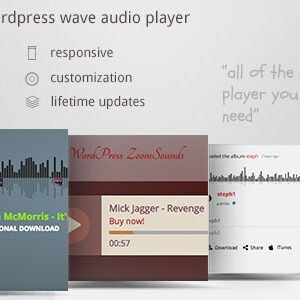
ZoomSounds is a premium WordPress audio player plugin designed to provide a seamless and high-quality audio experience for your website visitors.
Key Features
ZoomSounds boasts an impressive array of features:
Responsive Design
The plugin’s responsive design ensures that your audio player looks and functions flawlessly on all devices, from smartphones to desktops.
Customization Options
With ZoomSounds, you have complete control over the player’s appearance, allowing it to blend seamlessly with your website’s design.
Playlists
Create and manage playlists easily, providing your audience with an organized selection of audio content.
Visual Composer Integration
Seamlessly integrate ZoomSounds with Visual Composer to enhance your website’s audio capabilities.
Installation Guide
Getting ZoomSounds up and running on your WordPress site is a straightforward process:
- Purchase and DownloadStart by purchasing the plugin from the official website, and then download the plugin file.
- InstallationGo to your WordPress dashboard, navigate to “Plugins,” and click “Add New.” Upload the downloaded plugin file, and activate it.
- ConfigurationCustomize the audio player to your liking, adjusting the design and functionality to match your website’s aesthetic.
- Upload AudioBegin adding your audio files and create playlists to organize your content effectively.
Benefits of Using ZoomSounds
Enhanced User Experience
ZoomSounds elevates the audio experience, ensuring your audience enjoys high-quality sound.
Increased Engagement
Interactive audio content captivates your visitors, keeping them engaged for longer periods.
Versatile Use Cases
From podcasts to music tracks, ZoomSounds is perfect for various types of audio content.
Conclusion
Incorporating high-quality audio into your website is no longer a daunting task. With the ZoomSounds WordPress Audio Player Plugin, you can provide your audience with a delightful audio experience while enhancing user engagement. Elevate your website’s audio content, and make your website stand out.












Reviews
There are no reviews yet.